Categories
Printing

Ultimate Guide on Printing

ultimate guide
on Printing

BY ZAIN AHMED KAMAL

This Ultimate Guide on Printing is for designers or people interested in “Print Design”. We here will be covering the following topics-

What is Print and Digital Design?

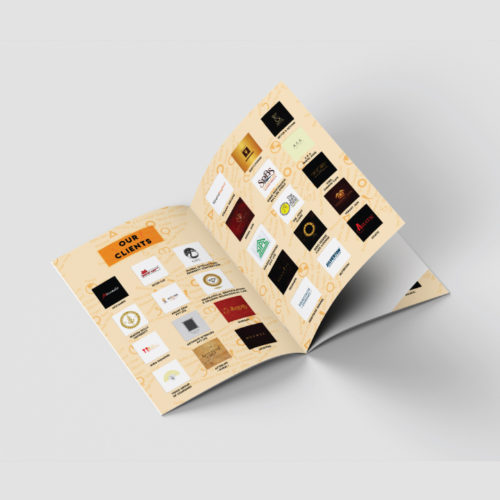
In simple words, anything designed for the purpose of getting it printed is called Print Design.  For example a business card, brochure, flex, catalogue and the list is never ending.

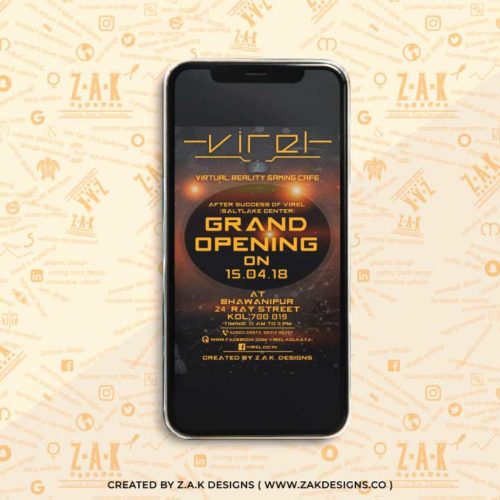
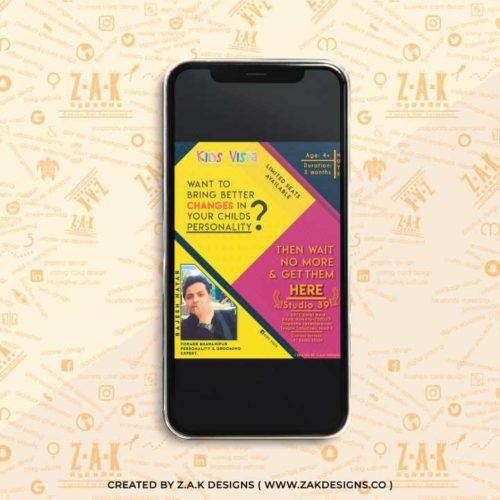
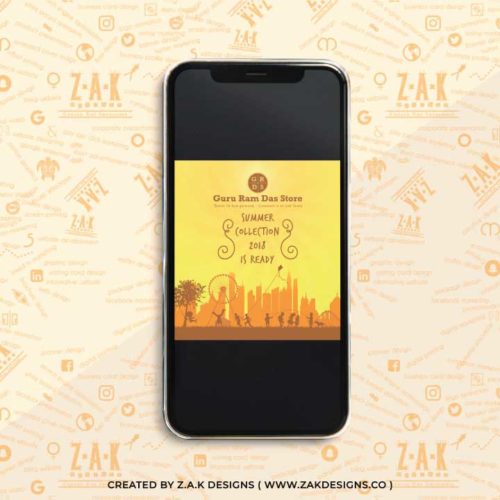
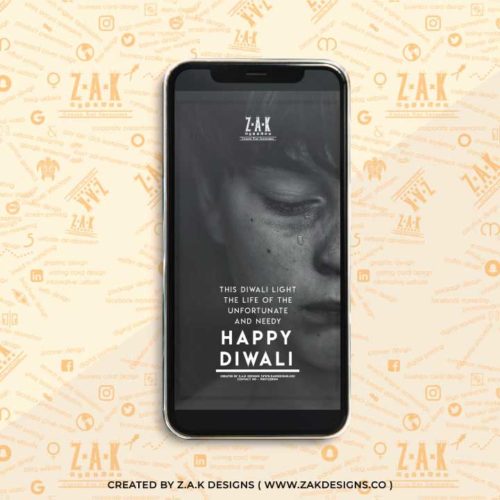
Anything designed for the sole purpose of displaying it on digital medium like mobile phone or computer is called Digital Design. For example creatives designed for Facebook or Instagram or an e invite for Whatsapp and much more.

A designer can be into both Print and Digital Design or can be an expert in any one.  The work of a Digital Designer ends at designing but for a design which has to be printed also needs to get “Print Ready”. The process of making a design “Print Ready” is our next subject.

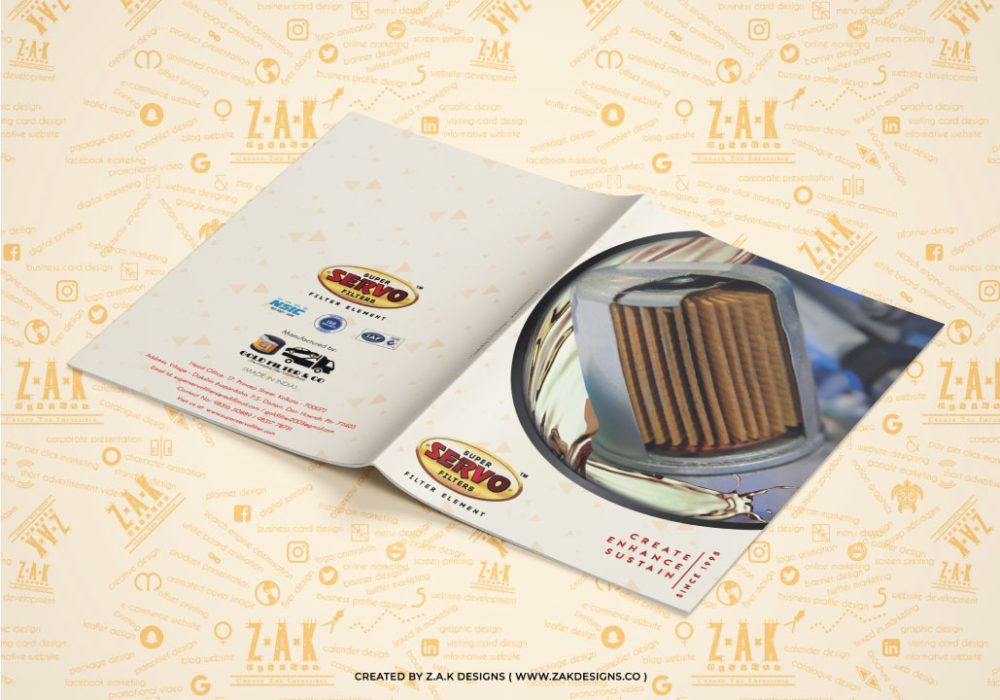
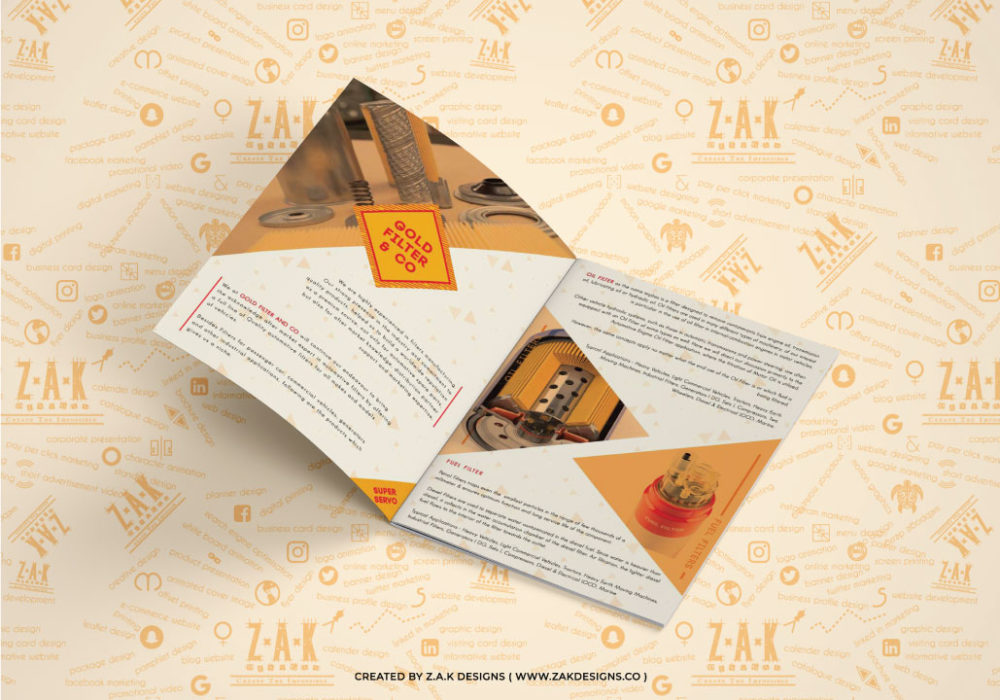
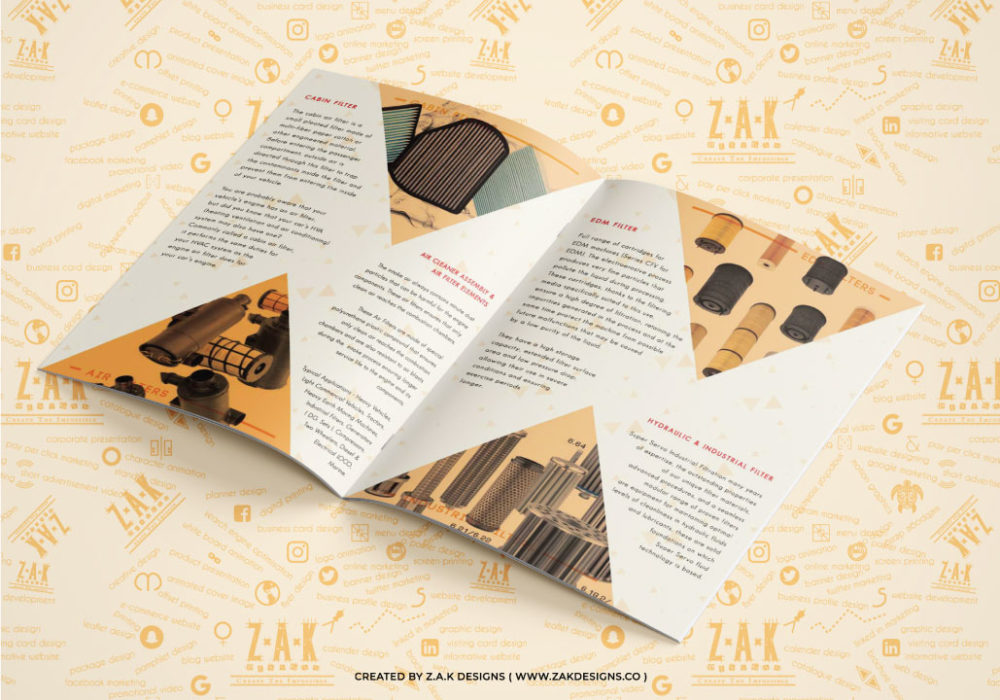
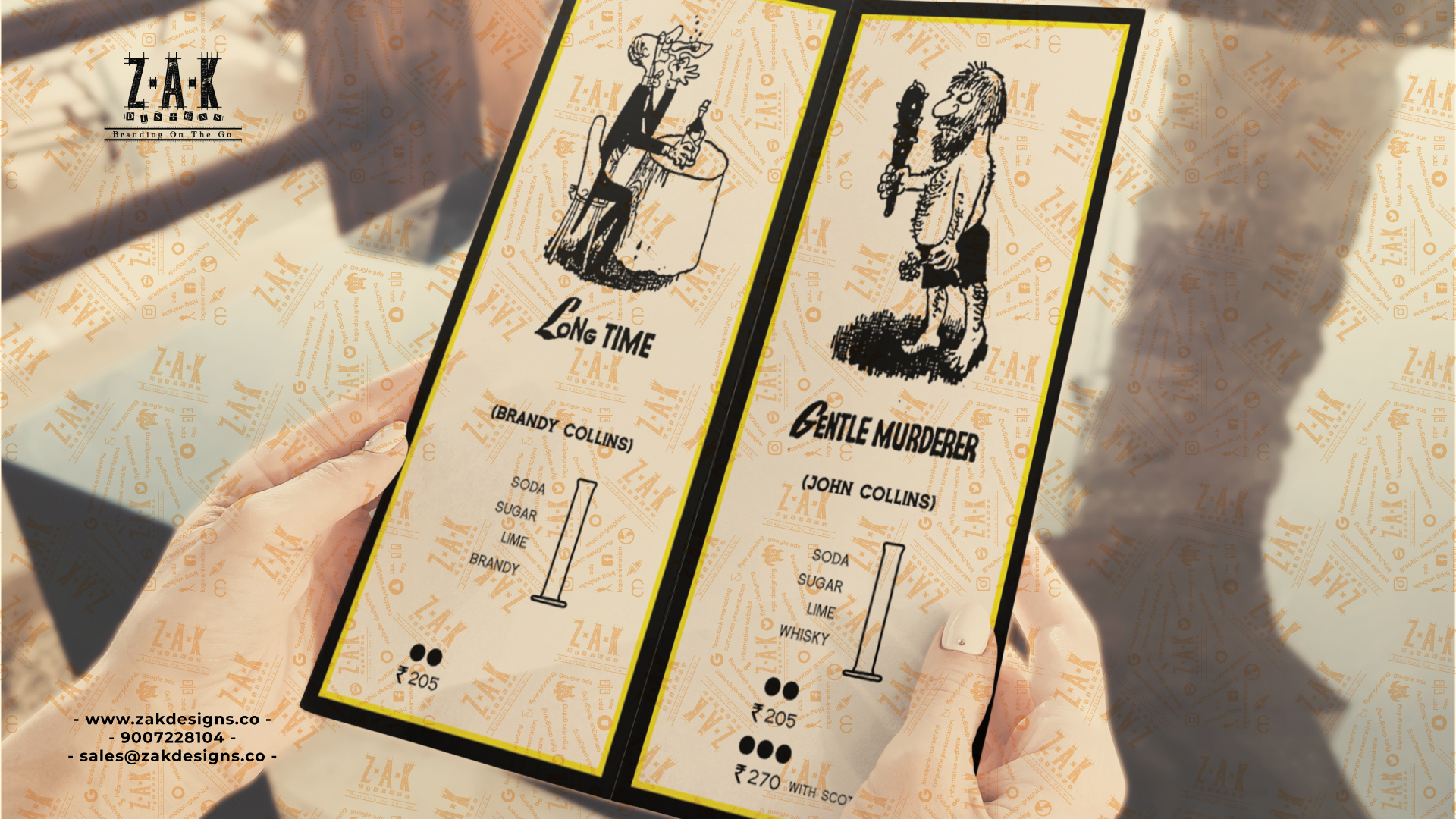
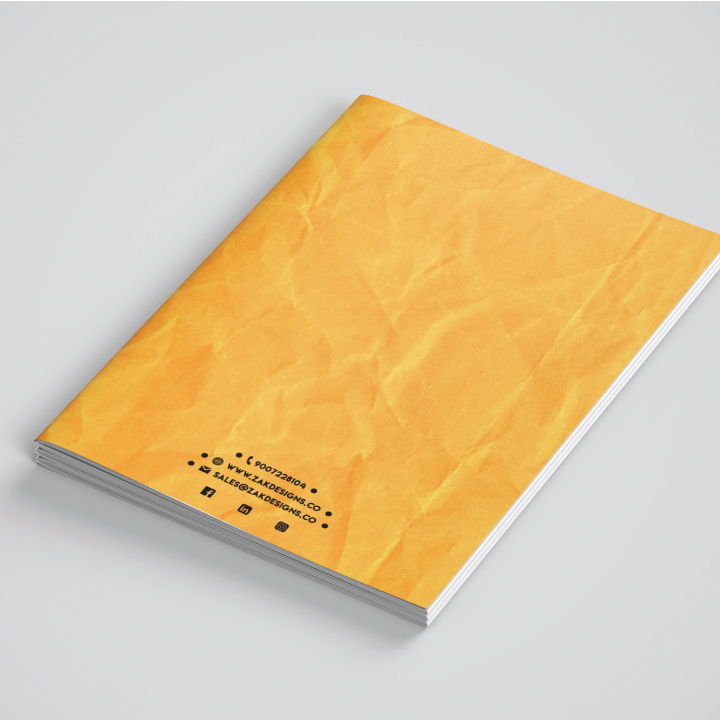
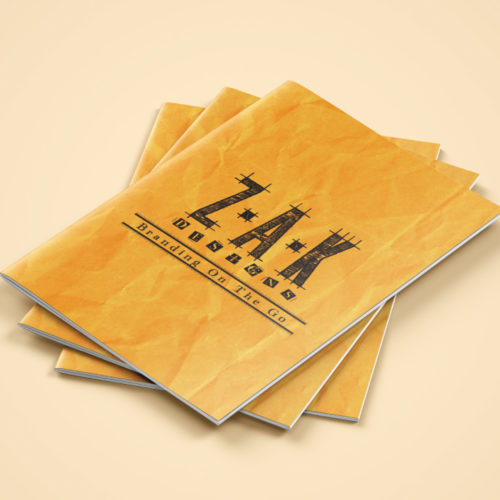
Here are some print and digital design examples:

Print Design
Process

In this section of Ultimate Guide on Printing we will in detail discuss the step or process of making a design print ready.

CMYK

First thing first, while designing in any software we are provided with two color mode option. One is RGB and the second is CMYK. RGB stands for Red, Green and Blue and CMYK stands for Cyan, Magenta, Yellow and Black. In the entire universe whatever color you are aware and unaware about is made mixing Red, Green and Blue. However the printing machine uses ink cartridge made with four color Cyan, Magenta, Yellow and Black.

So keep the color mode CMYK for the design which has to be printed and RGB for a design to be used on digital mediums only.

embed
image

If you are designing anything in Adobe Illustrator and if that file is opened in any other computer then it will not have that image in it. The solution is to embed that image by selecting the image and click on the embed option as shown in the above image. 

outline

Suppose you are making a visiting card design and downloaded a font which is not originally available in the software. Then you take that file to a printing house to get it printed and as soon as they open that file it will show a font missing dialog box. To avoid this mishap its a good practice to outline the font. In order to do that, click on the right mouse button while keeping the cursor on the font and then select create outline.

Setting and
Cut marks

Now to move further in this Ultimate Guide on Printing and understand the process we will take an example of a print design business cards made by us for a client by the name Decor and Beyond.
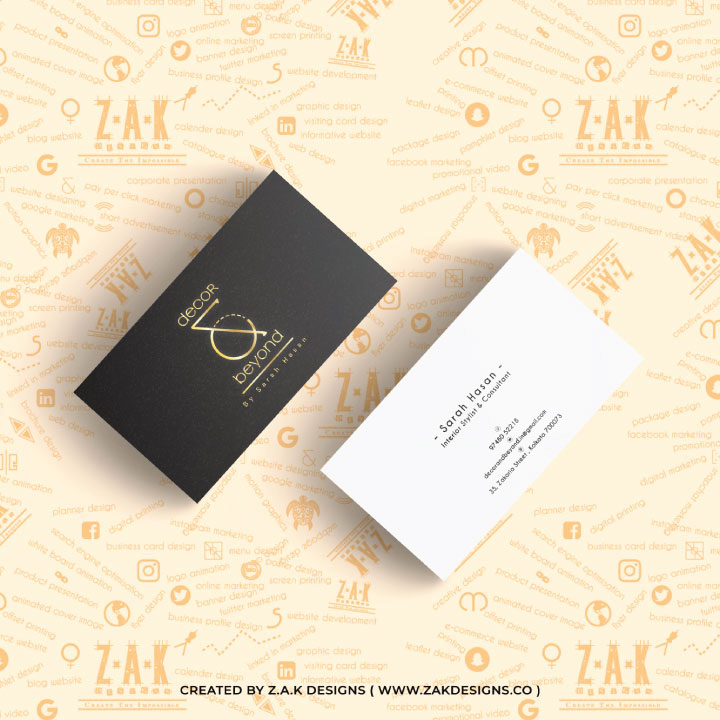
This is the visiting card we designed and now we will set it for printing.

First thing is the size of the visiting card, which is usually 3.5 inches in breadth and 2 inches in height. This is the standard size but you can definitely play with the size as per your wish. Now comes the part of setting the design on the paper. For digital printing the machine prints paper of two sizes 12inches (Height) X 18inches (Breadth) and 13inches (Height) X 19inches (Breadth). 

So now if we have to set it, then on 12X18 size paper we can make 25 copies of the design and on 13X19 paper 30 copies. Below is the example.

This is the front side

This is the back side.

Your print design has to be arranged in this way before getting it printed.

Moving on to cut marks, but what are they? After printing a business card it has to be cut in 25 or 30 parts depending on the size of the paper and design. Cut marks are basically a guide for cutting and without which it cannot be properly done. These cut marks are nothing but thin lines put on the four corners of the page and in between every design. Let see an example of it.

The red lines you see on all the sides are cut mark.

This was the print design process for a business card but let’s see one more example, a little complex one say a four page brochure design i.e. 8 sides brochure design.

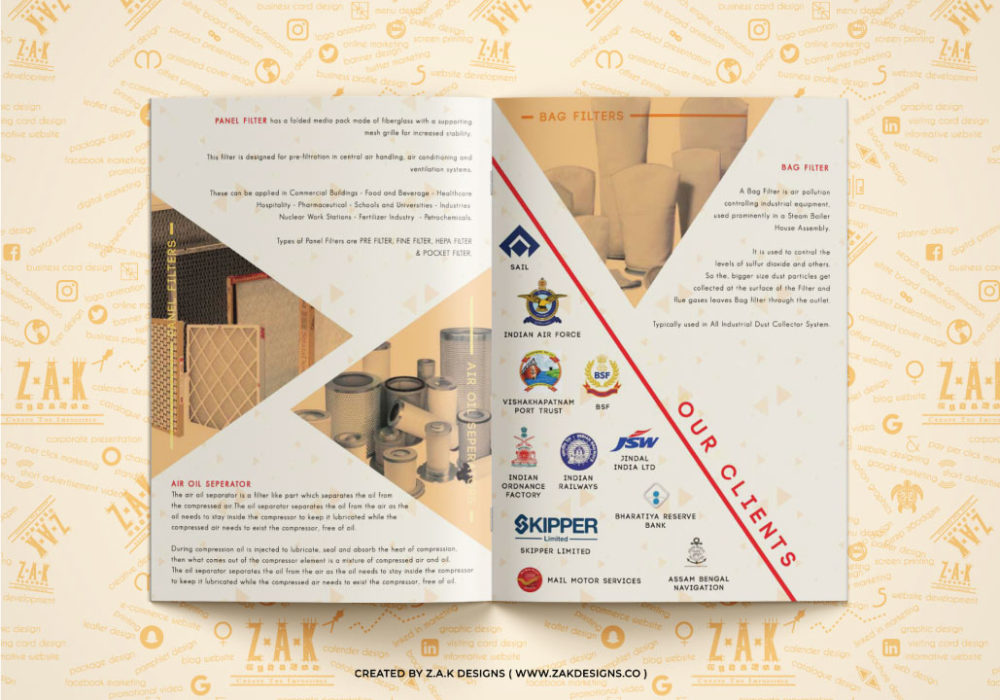
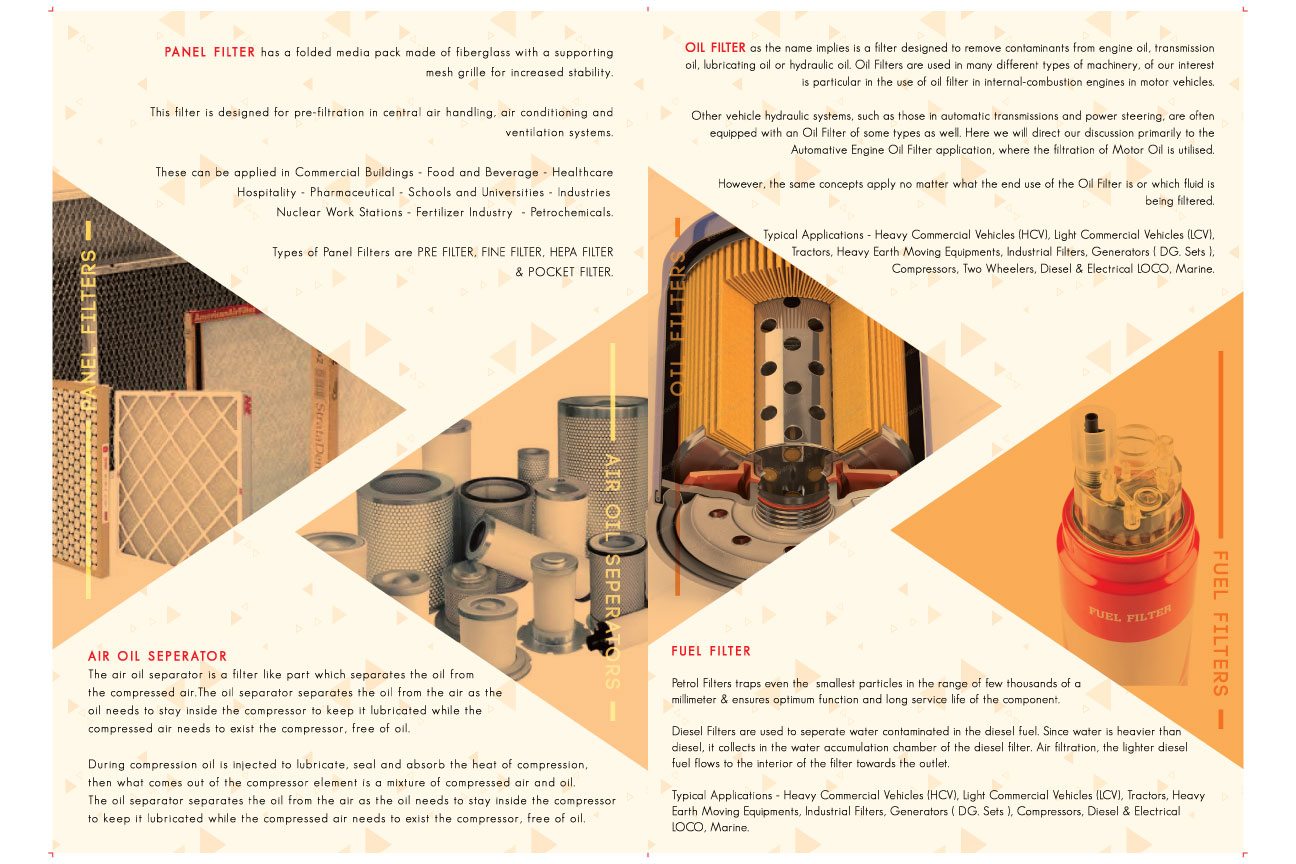
For example let’s take this brochure designed by us for our client Super Servo Filters.
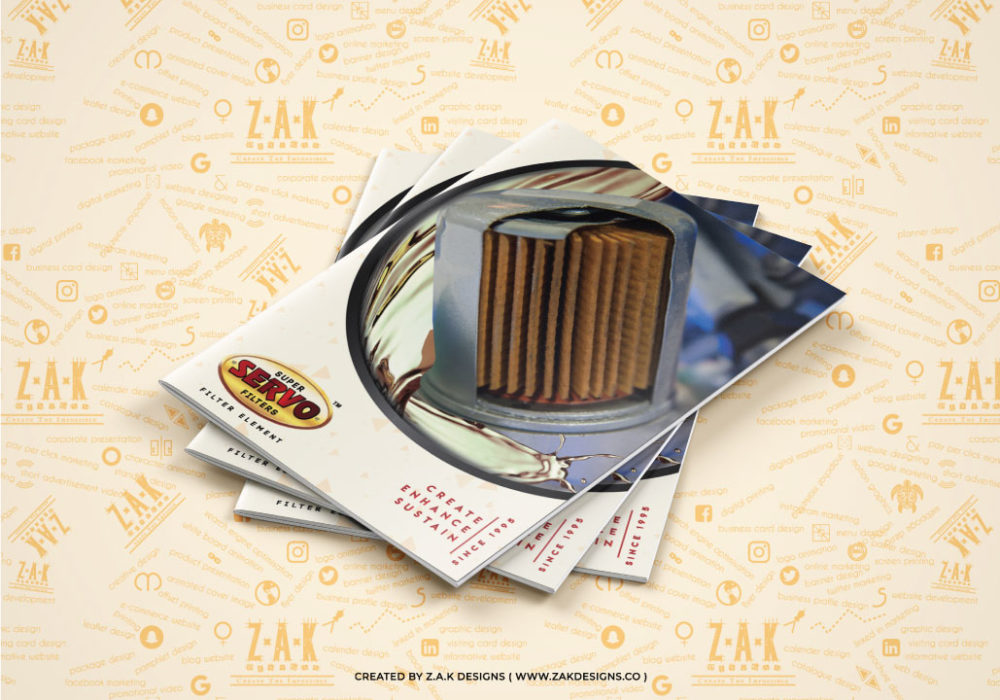
It’s a folded four page brochure and before we proceed lets understand the order of the design first. The cover page is of a filter then once we open it comes about Gold Filter & Co section, then Oil & Fuel Filter, after that Cabin and Air Filter then EDM and Hydraulic Filter and then Panel Filter and Air Oil Separator, ending it with Bag Filters and Clients and the last page with contact information. The width of the brochure is approximately 17 inches and then folded in two halves making it 13.5 inches; the height is little less than 11 inches.

So here the designed will be set back to back i.e. on both sides of the paper. There are going to be two 12X18 sheets which will be one on one.

We will set cut and creach marks. Creach marks are nothing but a guide for the person to fold the brochure from this point.

So the first sheet will have two sides and we will be setting the designs in this way.

This is the front side and the red lines you see on the left and right sides are cut marks.

This is the back side and the red line you see in the center is creach mark. This is place from where the paper will be folded. The creach mark is in the exact center of the paper.

Similarly the second sheet will have two sides and we will be setting the designs in this way.
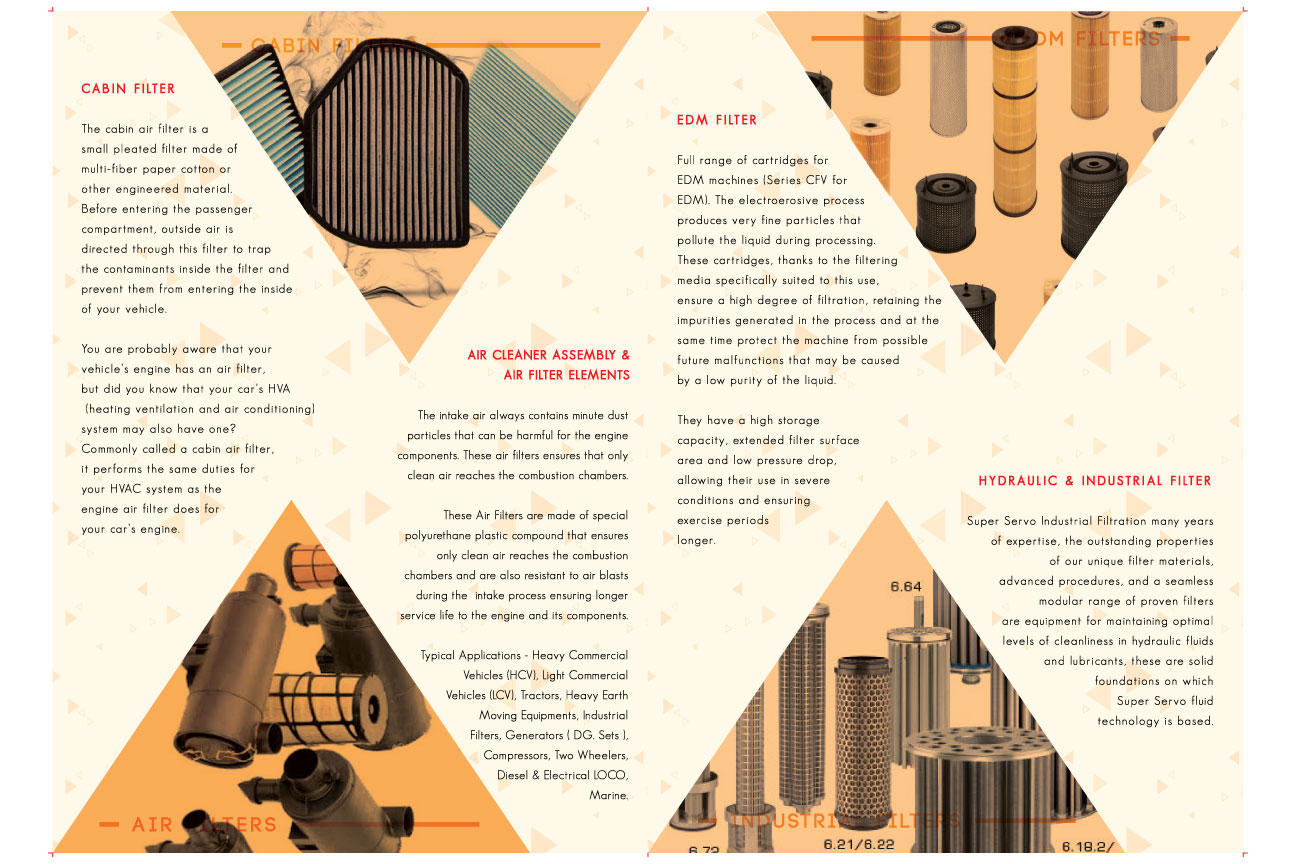
After proper placement and setting the cut and creach mark you can print your design.

Print Design
Services

In this part of Ultimate Guide on Printing we will discuss about print design services. It is very obvious that one has to design to print it on something and so this industry is very much dependent on designers. Talking about printing services, it is a vast field. So many things are printed on different levels, but for all of them design is a must. Let’s discuss in detail about printing as a service:

Print design on t shirt: A trend has set in of T shirts printed with quotes and designs on them. These designs and quotes on the t shirts are printed with heat press machine (we will discuss about it later in this blog). Again these quotes and art has to be first designed before getting it printed.

Print design on mug: A lot of different designs are printed on mugs through heat press machine and again first the designer has to prepare the designs.

Print design on tote bag: Tote bags are like jute bags with trendy designs on it. It is very often used and for multiple purposes and again the designs are printed with heat press machine.

Print design wedding invitations: Wedding invitations is a must for any function and it can be of any type. May be a simple card printed on a paper or something fancy printed on a rolling cloth or anything. Whatever to be printed has to be designed first.

Print design business cards: Business cards or visiting cards are carried by working people and has all their contact information like name, number, email id etc.

Printing flex: Flex are large sheets printed and put as a hoarding on road sides and maybe on top of the building for advertisement purpose. Again for any print the design has to be prepared first.

Printing banner: Banner and flex are somewhat same and fulfill the same purpose.

Printing letterhead: Letter head are a4 size sheets containing information of the company.  The top and bottom are designed; space is left in the centre for different matter to be printed.

Printing books: For any book to be printed it has to be first arranged in order and cut marks are to be set. Additionally the cover and back page has to be designed. After all this has been done then it is printed.

Printing Standees: Standees are large stands with flex on it. It is portable in nature and the flex can be replaced with other on the condition that the size has to be same.

These are just some of print design examples and there is way more. Once you have some idea print your design on products like wrapping paper, fabric and the list is never ending.

Types of
Printing

In this part of Ultimate Guide on Printing we will discuss the types of printing machine, won’t be going in details of printing technology because this entire blog is for print designers to get basic printing idea and not for people from printing press.

Digital Printing Machine: Digital Printing is best for instant printing; also they can print as less as one sheet for sample. For quantities less than 5,000 pieces digital printing is only done. They however support only two sizes, 12X18 inches and 13X19 inches with variety in GSM (thickness of the paper).

They also support printing in Gum Sheet (sticker sheets).

Offset Printing: Offset printing is only done in bulk, nothing less than 5,000 sheets. Digital Printing is expensive if printing in bulk and so offset printing is used in that case. They print big sheets like 20X30, 22X32 inches etc. These machines can also print on paper with various thicknesses and even on gum sheets.

Screen Printing: Screen printing also known as printing by hand is done in a completely different way. The design is first printed on tracing paper which is then attached to a board, then color is spread on it and a wooden block is used to push and slide. This way whatever design in on the tracing paper comes on the thing it is printed on. Screen printing has its advantages and disadvantages. It is a time taking process and it cannot print multiple colors on a single print like digital and offset machines. However digital and offset printing can be done only on paper but screen printing can be done on almost anything including all kinds of paper.

Heat Printing: Heat Printing Machine is used to print on different objects like T-shirts, mugs, tote bag, laptop cover and more. First the design is printed on a specific type of heat transfer paper through a digital printer. Then that paper is placed on the object and through a heat plate the print leaves the paper and sticks on that object permanently.

Flex, Vinyl, Banner Printing Machine: These machine specifically and only prints on flex, vinyl and some type of cloth. What they print can be used on standees, hoarding, boards and more. Vinyl has gum on the back side, flex does not and Vinyl is also thicker than flex.

Lamination:

If a paper is covered with a thin plastic sheet then it is called a laminated paper and the process is called Lamination.  It is basically done to give a premium look also it gives strength by increasing the GSM and makes it water proof. Anything can be laminated as long as it is paper like brochure, visiting card, catalogue, menu card and more. There are many types of lamination but we will be discussing about five commonly used one:

Gloss Lamination: This is the most used type of lamination in the print industry. It gives a shiny glace look to the sheet which is laminated.

Matt Lamination: Matt lamination gives a dull matt finish to the laminated sheet. This is comparatively new and expensive than gloss lamination.

Velvet Lamination: Velvet Lamination is more or less like Matt Lamination, the only difference is that velvet lamination gives a smooth velvet feel which matt lamination does not. It gives a real premium look to brochure, catalogue and other stuff.

3D Lamination: 3d Lamination as the name suggests gives a 3d pop up look. It also gives gloss look the laminated sheet.

UV Lamination: All the above laminates the entire sheet but what if you want any specific part to be laminated? For example suppose you are getting some business cards printed and you want the entire sheet to be laminated with matt lamination but the logo with gloss lamination. This thing can be done with the help of UV lamination.

Let’s talk about the process, first make a copy of the print ready file of the visiting cards. Name it UV Lamination so that you don’t get confuse. Now delete everything except the logo which you want to be UV Laminated.  Now you have to get file printed on a tracing paper which you will find on any digital printing shop. Just give that sheet to any lamination shop and they will do it.

Foiling:

What is Foiling? Foiling is somewhat like UV lamination but instead of plastic it is very thin metallic sheets. Just like UV Lamination, foiling covers certain desirable part instead of the entire sheet and even the process is same. Foiling is available in three colors gold, copper and silver.

Emboss:

Embossing is a technique in which any specific part of the design can be embossed. The process is somewhat same as above, after printing it on a tracing paper, a dice is made with that shape which is then put it the machine to emboss the sheet.

There are two types of emboss one is normal emboss and the other is reverse emboss in which you will feel it coming up instead of going down.

Paper

In this segment of Ultimate Guide on Printing we will be discussing the types, size and GSM of paper.

There are many types of paper and naming all of them is impossible. So first let’s understand that some papers are used for digital and offset printing only and some used specifically for screen printing only.

Art Paper: This is the most common paper used in printing world and are of various GSM starting with 90 GSM till 270 GSM.

Art Board: This board is widely used for multiple purposes like visiting cards, brochure etc. It starts with 300 GSM and goes till 350 GSM.

Ivory Board: Ivory board is another type of board often used for various purposes.

Textured Papers: There are innumerous types of textured paper and naming them is impossible. You can go to a Paper shop and check them out.

Metallic color sheets like silver, gold and more are also used for various purposes. 

For all the above mentioned papers except metallic sheets can be used for digital and offset printing and all of the above can be used for screen printing.

Types of
Cutting

After printing, lamination, foiling or embossing the final stage is cutting where the extra white space has to be chopped off. So there are three types of cutting


Normal cutting machine: This type of machines can only do straight cutting. If the paper has to be cut in square and rectangle shape then it can be done with this type of machine.


Dice Cutting: What if a custom shape visiting card has to be cut from sheets? For such custom shapes dice cutting is used. It can be of any shape like circle, triangle, octagon or any random shape. First that design has to be printed on a tracing paper and then a dice is made from that shape. From that dice cutting takes place.


Laser cutting: Laser cutting is done with the help of laser, it is precise, clean and very expensive. It can be of any shape.

Print Design Tips

In this section of Ultimate Guide on Printing I will share some print design guidelines. All of the following tips are from my own experience from being in the print design world.

  • While designing anything the color we see on the screen will never exactly match the printed color, there will be always a slight difference and so always clarify this to the client.
  • Before getting anything printed in bulk always get a sample piece printed and check it thoroughly with the client.
  • If you are getting anything printed in quantity be it brochures, catalogue or visiting card always get 10 or 20 pieces extra printed. This is because while getting the sheets laminated or getting it cut some pieces will get wasted, so having extra is a good practice.
  • Once the design is ready, make a copy of it. Outline the fonts and embed the images in that file, this way if the client wants any changes it can be done in the original file.
  • Always leave some white space on the sides of the design. This is to prevent the design from getting cut in the cutting process.
  • After getting sheets laminated, give it one night to dry properly before getting it sliced. Incase if you don’t do this there is high chances of the lamination to come off.
  • Avoid foiling tiny small objects as the machine doesn’t do it effectively.
  • Laminated sheets can never be pasted with another sheet; the gum just won’t be able to hold it for long.
  • Never laminate textured paper, they tend to fill air bubbles inside and then the lamination comes off.

These were some of the print design best practices I always follow and recommend as well.

Some doubts
& questions:

Question: Print design software

Answer- There is no specific print design software. Any graphic designing software can be used like CorelDraw, Adobe Illustrator or Photoshop.

Question: Print design layout

Answer- Print design layout is what you called setting and putting cut marks.

Question: Print design using Photoshop

Answer – Yes print design can be done using Photoshop

Question: Print design vs Graphic design

Answer- Graphic Design is a vast subject and Print Design is a part of it.

Question: Print design vs Web design

Answer-Print Design is all about designs to be printed and Web Design is completely different from it. Web Design is about designing the layout of a website.

Question:  Print design principles

Answer- There is nothing called print design principles but yes of course there is something called Principles of Designing which is the mantra of designing. No designer whether print or digital can be successful without properly understanding these principles. So if you want to know about it then please go this blog Ultimate Guide on Graphic Designing  https://zakdesigns.co/ultimate-guide-on-graphic-designing/

In this blog you will everything related to graphic designing including the principles.

This is the entire print design brief for Ultimate Guide on Printing and now if you want to start printing as a business you don’t need a printing machine. All you need is some idea on print design which you now have because of this blog. So what you can do is collaborate with a printing press or maybe multiple printing press. If you are just a graphic designer then you can think about printing as a career option also. No matter how big a printing press is they all depend on us “Designers”.

If you are someone who wants to make a career in graphic designing then do check out my another blog Ultimate Guide on Graphic Designing https://zakdesigns.co/ultimate-guide-on-graphic-designing/

If you like this blog do comment, like and share. Also if you think something is missing or this blog can be improved then please do advise.

We at Z.A.K Designs help companies in their branding and provide complete print design solutions for more information please contact at [email protected]

like our blog?

please share it too!
Facebook
Twitter
LinkedIn
Reddit
WhatsApp
Email
Pinterest
Skype
Categories
Graphic Designing

Which graphic designing software is best

which graphic
designing
software is best

BY ZAIN AHMED KAMAL

In this blog we will discuss about the types of graphic designing software, different software used in graphic designing industry and which is better from the other in which way.

Before we proceed, let us first understand what graphic designing software is or what graphic design software is used for? In simple words graphic designing software helps in making logo, brochure, catalogue, hoarding and anything related to graphic. These software are installed on a desktop or a laptop.

Types of graphic
designing software

There are two of types of graphic design software, vector based software and pixel even known as raster based software.

Graphic Design Software Vector: Vector software is made with the concept of mathematical statements that place lines and shapes in a given two dimensional or three dimensional space. In simple words a shape, symbol or art made in vector based software doesn’t lose its quality is the size is increased. Anything made in vector based software can be increased in size to any dimension without getting pixilated.

Graphic Design Software Raster or Pixel: A raster or pixel based software is made with the concept of editing created or captured images. A raster is a grid of x and y coordinates on a screen. These images will get pixilated on the increase of their dimension ( length or breadth ).

It is also very important to understand that this vector feature doesn’t make the software better or superior to other software. Both serves different purpose and both are equally important in this field. It all depends on the requirement of the design, sometimes vector based software is preferred for certain types of design work and sometimes raster based software. One should be well versed with both the types.

List of graphic
designing software

  1. Adobe Illustrator
  2. Adobe Photoshop
  3. Corel Draw
  4. Canva
  5. GIMP
  6. Pixlr
  7. Inkscape
  8. Autodesk SketchBook

These are some of the graphic designing software used but among this graphic designing name list we will discuss three software which is used on a professional level.


  • Adobe Illustrator
  • Adobe Photoshop
  • Corel Draw

Let’s start with graphic design software Illustrator, a vector based software. Adobe Illustrator is one of the most powerful software used in the field of designing. It is used internationally and is preferred by the top designers. This software can be used for logo designing, flyer designing, brochure designing and the list will never end. It’s a “must to learn” software.

Graphic design software Photoshop, a raster or pixel based software. Adobe Photoshop is known as the King of all software and can help to do incredible things. From editing images in unimaginable ways to creating layouts and making designs, Photoshop can do all. Learning this software is necessary.

Last but not the least graphic design software CorelDraw, also a vector based software. It serves the same purpose as Adobe Illustrator, someway better and someway not. It’s important to learn this software because some printing firms prefer this software over Illustrator and in order to get a design printed they will need the CDR (CorelDraw) file.

Among graphic design all software name these are at the top. Now the answer to what is best graphic design software doesn’t exist. You need to learn all three of them and use anyone as per the need and requirement. Don’t focus too much on graphic design software names or graphic designing software list, start with anyone and gradually learn all three or even more if required.

Some often
asked questions

  1. What graphic design software is best?

None, start with any one of the above mentioned and then gradually learn more.

  1. Graphic design software on mac?

The same, the softwares can be operated on windows as well as mac.

  1. Graphic design software pc?

A pc with high configuration will be needed for these softwares to work efficiently.

  1. What’s the best graphic design software for beginners?

The same as the professionals use, Adobe Illustrator, Adobe Photoshop and Corel Draw.

  1. Best graphic design software 2019 or top graphic design software 2019?

Again the same answer Adobe Illustrator, Adobe Photoshop and Corel Draw.

  1. Is certification in graphic design software necessary?

Necessary if you want a job in firm but not necessary if you want to start a business or work as a freelancer. Many successful designers are self-taught and never worked for a company.

  1. Graphic design software requirements?

A pc with:

  • 22 inch screen for proper display
  • minimum of 1tb hard disk
  • 16 gb ram
  • 64 bit intel i5 processor
  • 2gb nvidia graphic card
  1. How to use graphic design software or how to learn graphic design software?

We are very soon coming with a set of graphic design software tutorials and not only that we will also be teaching all the principles of designing and will also give assignments for practice.

Graphic design software trial versions can be downloaded from their respective websites.

If you need any kind of graphic design software help please let me know in the comment box.

We at Z.A.K Designs provide complete branding solution so for any help please contact us at [email protected] or visit our website at www.zakdesigns.co

Brand Logo

Stand Out from the Crowd: The Importance of a Unique Logo Design In today’s competitive business landscape, standing out from the crowd is essential for

Read More »

Brand Niche

The Power of Finding Your Brand Niche: How Focusing on a Specific Market Can Boost Your Success What is Brand Niche? Have you ever heard

Read More »

Case Study on the Logo designed for SPBS

Any designer will understand that becoming a graphic designer is one struggle and building a career in it is another. I am here sharing my own story in the form of a Case Study on the logo designed for SPBS

Read More »

More than just a name – Identity Designing

You are more than just a name with a personality, values and traits; combining that builds your Identity. In the same way a brand too needs an identity which can be designed. In this blog we are going to discuss it.

Read More »

like our blog?

please share it too!
Facebook
Twitter
LinkedIn
Reddit
WhatsApp
Email
Pinterest
Skype
Categories
Graphic Designing

IS GRAPHIC DESIGNING A GOOD CAREER CHOICE?

IS GRAPHIC DESIGNING A
GOOD CAREER CHOICE?

BY ZAIN AHMED KAMAL

In this blog we will discuss about Graphic Designing, the services in Graphic Designing and why graphic designing is a good career choice?

By definition Graphic Designing is the process of creatively arranging text, shapes, pictures, color, photos, patterns and illustrations to convey a message to a wide audience or an individual reader. In our life we everyday come across a lot of things made with the help of graphic designing. For example while walking on a road we see a huge hoarding beautifully designed for the advertisement of a product or service, buying something wrapped in an attractive package with details of the product or see a poster of an upcoming movie. Sitting at home reading a magazine or a menu card in a restaurant. All this and much more is made with the help of Graphic Designing.

GRAPHIC
DESIGNING
SERVICES

Now coming to Graphic Designing Services List, one can do all of these or specifically master in one to make a career in graphic designing, choice is yours.

  1. Logo Designing
  2. Brochure Designing
  3. Catalogue Designing
  4. Menu Card Design
  5. Package Designing
  6. Leaflet Designing
  7. Visiting Card Design
  8. Hoarding Design
  9. Website Designing

This and lot more things can be made with the help of Graphic Designing however we will discuss in details about logo and brochure designing.

LOGO DESIGNING

What is Logo Design Service? Logo is a graphically made mark, emblem, shape, text, color or symbol used to give an identification and recognition to a particular brand or business and the process is called Logo Designing Service.

Now one may also ask why a logo design? A logo is not only made for separate identification from other companies and its competitors but is also the base for all Branding Initiatives. Every Idea, Logic, Design and Execution is going to revolve around it and so its importance is obvious. So now it must be clear why a logo design is needed.

If you wish to know about the process of logo designing then you can read a blog by the name Ultimate Guide to Graphic Designing at https://zakdesigns.co/2019/10/17/ultimate-guide-on-graphic-designing/

Or if you want to see a video on logo designing process then watch it at https://www.youtube.com/watch?v=V1_Mv53BT-c&t=5s

Brochure Designing

What is brochure designing? Designing a brochure is the process of creatively arranging information of a company, product or service graphically with the help of texts, shapes, colors, background and images. Usually designing of brochure is done to be printed on papers but can also be used in e format. It is generally folded in two halves but can also be a set of unfolded papers put into a base folder.

A Brochure helps in the advertising and marketing of a company, product or service. It contains all the necessary information need to be provided for knowledge.

If you wish to know about the process of brochure designing then you can read a blog by the name Ultimate Guide to Graphic Designing at https://zakdesigns.co/2019/10/17/ultimate-guide-on-graphic-designing/

Catalogue Designing

What is Catalogue Designing? A catalogue is designed to provide detailed information about the company and their product or services to potential clients. It usually has a list of products or services with other important details.

Menu card Designing

What is menu card designing? Whenever you go to a restaurant you are provided with a menu card to place an order. This menu card is also made with the help of graphic designing. It must contain all the dishes and drinks with their prices provided by that restaurant.

Package Designing

What is package designing? Any product provided by any company has to be packed before giving it to the end consumer. This pack can be a beautifully designed box or sealed in a plastic wrap. This package for any product has to be designed with the help of graphic designing. The cover or front part must show the product inside that package in a lucrative way and on the back necessary information of that product must be mentioned. In package designing the most important thing is the dimension or size, first that is finalized and then it is accordingly designed by placing the content creatively.

Leaflet Designing

What is Leaflet Designing? A leaflet is a one page or folded one page paper used for marketing. It is usually designed to make people aware about upcoming discount, offers or new products of a particular brand. It does not contained detailed information of the company. The size of a leaflet is usually half of an a4 paper but can also be smaller or bigger that that.

Visiting card Designing

What is Visiting card designing? A visiting card is small card with the information of the company and the information of the card holder. One side has the logo of the company and its contact information like website address or email id and the other side has the name of the card holder, his designation and his contact information. A visiting card is also called business card as it used for business purpose. A visiting card can be of any size but usually is 3.5 inches broad and 2 inches tall.

Hoarding Design

What is a hoarding? A hoarding is usually the huge giant size board found either on the top of buildings or on roadside or under a flyover. They are huge and is used for marketing of a particular product or service. As it is huge in size it is visible even from distance. The content on a hoarding is also designed with the help of graphic designing.

Website Designing

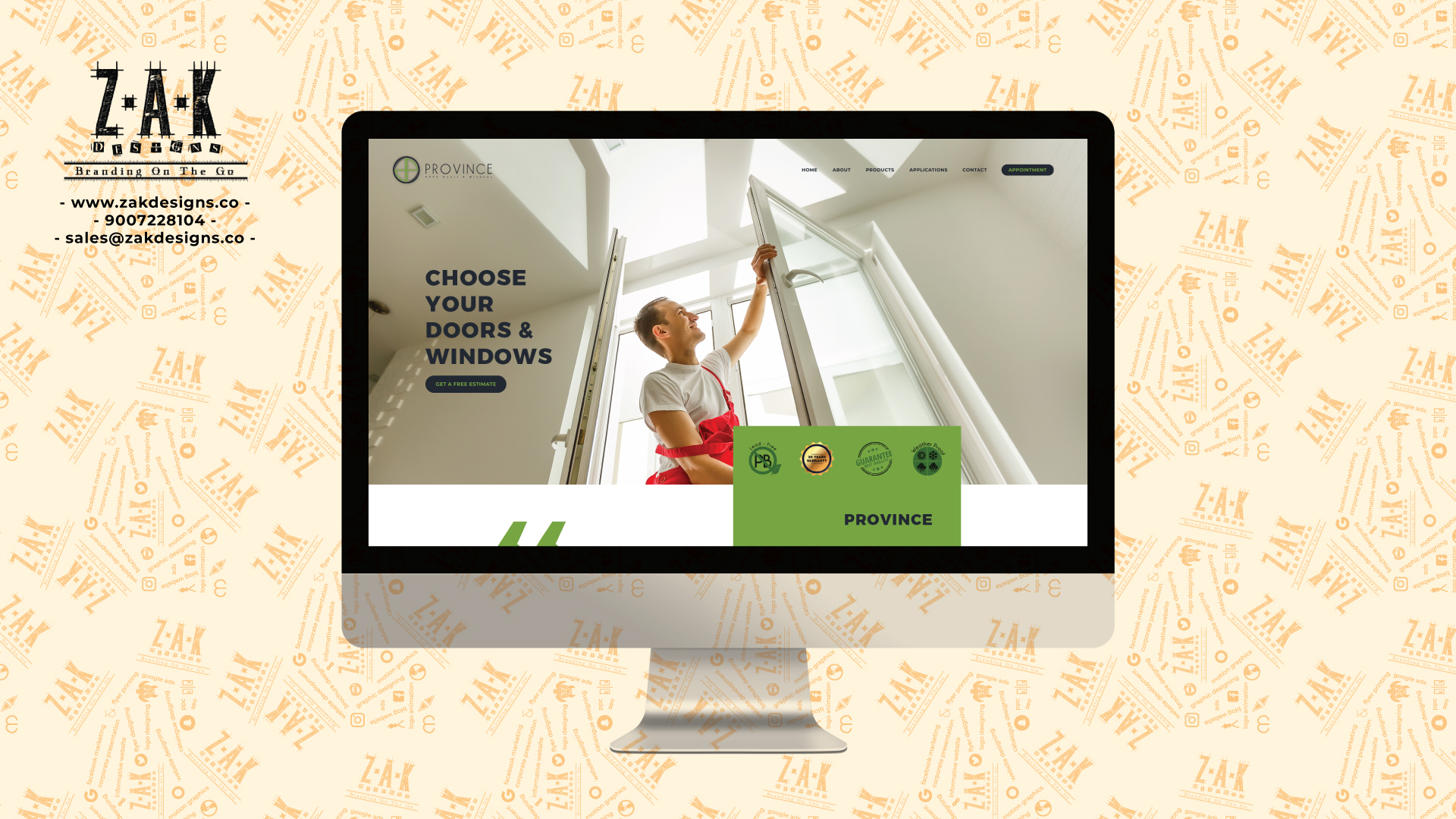
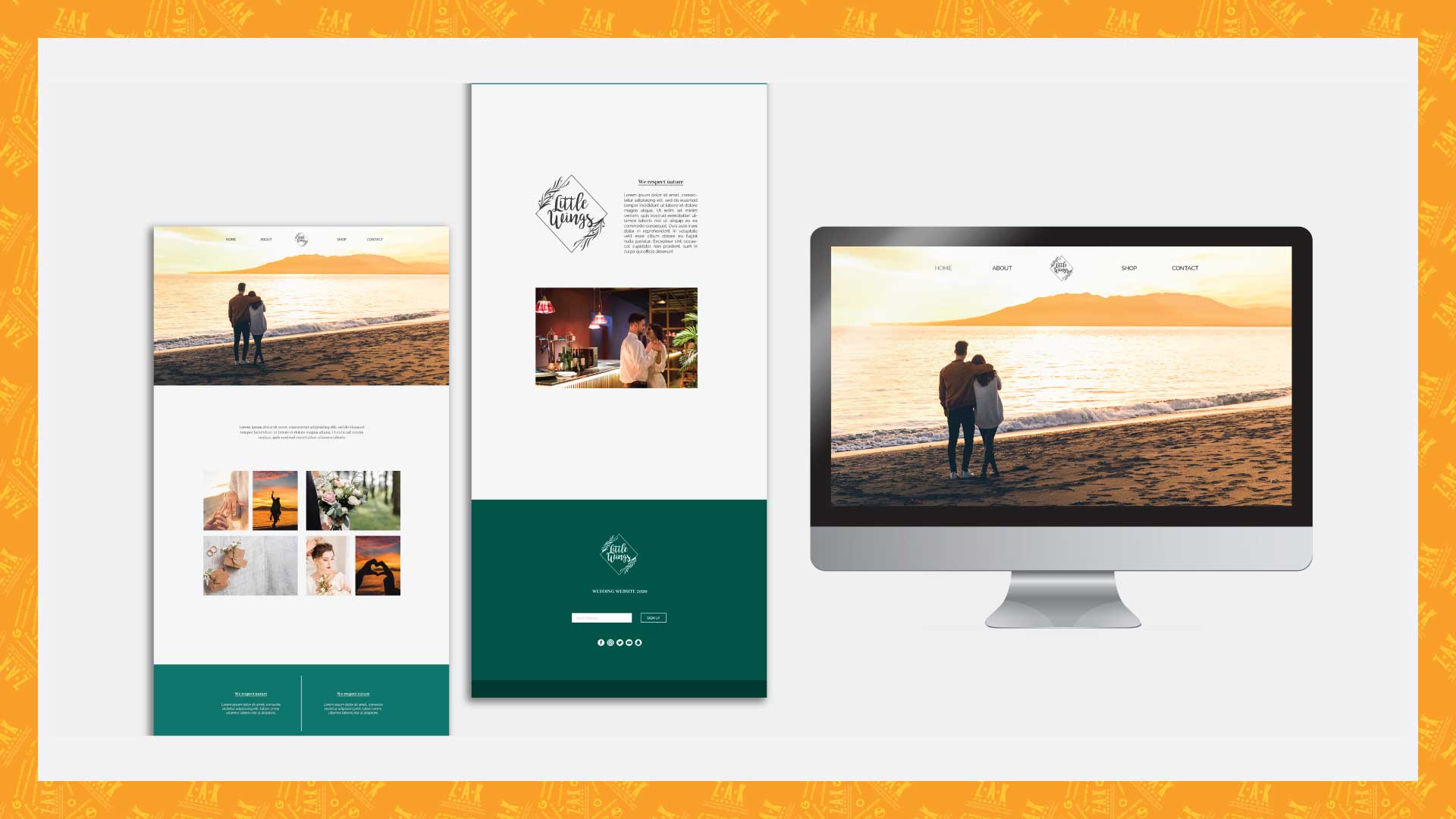
What is website designing? Web designing by definition is the process of arranging a layout using pictures, information, shapes and color to provide details about the products or services being provided by a company. Among various types of website the most commonly used are informative websites and e-commerce websites.

An Informative website is generally designed to provide the information of a company. For example about the company, its services, may be portfolio and more.

On the other hand an e-commerce website is made with the sole purpose of selling products. They may deal in one type of product or various types of product. These kind of website are more complicated than informative website. They need more storage capacity, payment portals, tracking details information and more.

The layout of any website must be simple and consumer friendly. A complicated website is of no use. The images being used must be of low resolution but not blurry so as to keep the website fast. A slow website will make the user run away.

A website must be made keeping in mind that it will be operated on various platform, each having their own size or dimension. The website must work properly on all platforms like desktop, laptop, tablets and mobile phone.

This website is also designed with the help of graphic designing.

Career in
Graphic Designing

After all the above discussion let’s come to the main point, a career in graphic design. The reason behind telling the major services of Graphic Designing is to make you understand that for literally everything Graphic Designing is required. Even for the best of products or services marketing and advertisement is essential and that is done with the help of graphic designing.

A company cannot sell its product without proper packaging and for that Graphic Designing is required.  A restaurant cannot sell its dishes and drinks without a menu card and for that graphic designing is required. No company can start its business without a logo and for that graphic designing is required.

Moreover today the entire world is digital and in this digital era content is the king. This content is created in many ways one of which is graphic designing. By this point only you can understand what scope it has. There are number of jobs as a graphic designer and opportunities to work as a freelancer or start a business.

Even with such a scope the competition is high and probably graphic designing is one of the most competitive field in today’s world. Everyday someone is becoming a graphic designer or opening a graphic designing firm but also each day a graphic designer quits, because of the lack of patience and love for designing. In the very beginning it was mentioned that don’t become a designer because it’s a fancy thing or there is huge money in it, do it only if you love it. Believe me only this LOVE for creativity and designing will keep you going through the tough and bad days and eventually you will succeed.

Don’t learn the software or understand the principle of designing to get a good job or start a business. Learn it to get good at it to become the best at it and then you don’t have to find a job or opportunity, jobs and opportunities will find you. The only thing which will make you good at it is practice, do that with the urge of achieving perfection which you will not achieve but in the process you will definitely achieve excellence and that will take you to the sky.

Do not worry of failing because one will and everyone does in the process, failing is not the opposite of success but the process in achieving success. In the beginning you will make bad designs but one has to make bad designs in order to make good designs.

Practice each and every day with love, fail each and every day and get up again and practice again with love, because “ to be successful one must improve, to improve one must practice, to practice one must learn and to learn one must fail”.

If you have any problem understanding anything or have any advice on improving this blog then please comment below.

If you want to know how to start your career as a graphic designer then do watch this video, as I have shared ways for that and tips for free marketing without spending a penny. Watch it here at https://www.youtube.com/watch?v=u7nXegEzhhU&t=17s

We at Z.A.K Designs provide complete branding solution so for any help please contact us at [email protected] or visit our website at www.zakdesigns.co

Brand Logo

Stand Out from the Crowd: The Importance of a Unique Logo Design In today’s competitive business landscape, standing out from the crowd is essential for

Read More »

Brand Niche

The Power of Finding Your Brand Niche: How Focusing on a Specific Market Can Boost Your Success What is Brand Niche? Have you ever heard

Read More »

Case Study on the Logo designed for SPBS

Any designer will understand that becoming a graphic designer is one struggle and building a career in it is another. I am here sharing my own story in the form of a Case Study on the logo designed for SPBS

Read More »

More than just a name – Identity Designing

You are more than just a name with a personality, values and traits; combining that builds your Identity. In the same way a brand too needs an identity which can be designed. In this blog we are going to discuss it.

Read More »

like our blog?

please share it too!
Facebook
Twitter
LinkedIn
Reddit
WhatsApp
Email
Pinterest
Skype
Categories
Graphic Designing

Five things a logo must have

Five things a
logo must have

BY ZAIN AHMED KAMAL

In this blog we will discuss what a logo is, why it is important and the five things a logo must have.

Logo is a graphically made mark, emblem, shape, text, color or symbol used to give an identification and recognition to a particular brand or business. Logo is generally made in vector based software’s like Corel Draw or Adobe Illustrator.

If you wish to know what vector based software is, logo designing process and more then you can read a blog by the name Ultimate Guide on Graphic Designing at https://zakdesigns.co/2019/10/17/ultimate-guide-on-graphic-designing/

Or if you want to see a video on logo designing process then watch it at https://www.youtube.com/watch?v=V1_Mv53BT-c&t=5s

A logo is not only made for separate identification from other companies and its competitors but is also the base for all branding initiatives. Every idea, logic, design and execution is going to revolve around it and so its importance is obvious. By now it must be clear why a logo design is needed.

Let’s start with it.

Concept

A logo must be designed with a concept. It is must for the concept to be unique and original. It should not be copied from anywhere. Let us discuss more about it using an example.

This restaurant “Dosamania “specializes in South Indian dishes. They wanted the logo to have a touch of their culture and tradition.

So we made a custom font, taking inspiration from south Indian language and their fonts. Each letter is creatively made and you will not find it anywhere else. After designing the custom font we placed it on a banana leaf as in their tradition they give food wrapped in a banana leaf.

This was the concept behind this logo. I hope it is clear now and if you have any question please put it in the comment box and I will definitely reply to it.

Tagline

Have you ever noticed a three or four words sentence below a logo? You must have seen but still let me remind you. Under the logo of Nike you will always find written “Just do it”. In every advertisement of the famous food chain KFC (Kentucky Fried Chicken) you will always find “Finger lickin good” being said or written below the logo.

Let me show you an example of one of the logo we made.

Kefi Lounge, this name comes from Greek culture meaning party. It was believed that no one partied better than the Greeks. So the icon you see is a glass, made by placing the mask upside down. This mask is what the Greeks used to wear in battle to protect themselves from the enemies. Coming to tagline “Party like the Greeks” is used as this lounge is for parties and to have fun time.

The basic function of a tagline is to help the logo communicate with people and make them understand what the brand or company deals in. A tagline not fulfilling this need is of no use.

However it is not necessary for a brand to have a tagline but it definitely helps in the process of communication.

Color

It is very obvious to add color on a logo, but the question is which color? Which color will carry the meaning and concept of the logo properly? It is a very important question and must be answered. One has to understand that every color has a meaning and any color added to a logo must have logic, reason and must go with the concept.

Let’s understand this better with an example. We made a logo for a company by the name Marvel, which deals in pools and fountains.

This is what we call a word mark logo, concept in the letters itself. We made the alphabet “A” look like a swimming pool and added light blue color in it. If you will notice the entire logo is in blue color and the inside of “A” in light blue color just like the color of water. The reason behind keeping everything in blue is because both pools and fountains have water in it.

Just as a tip, do not add too many colors in any logo. Choose one or two colors and maybe different shades of it. Please remember the color chosen for the logo stays the same everywhere, for all the branding initiatives no matter what. So choose the colors wisely. Logo designing and branding goes hand in hand.

Originality

I cannot emphasis more on this topic than to write a section for it. To be successful in this or any profession one must come up with original ideas, copying will ruin the reputation of any designer and once ruined it cannot be recovered. Do not copy an idea or concept from anywhere, rather create one. It is going to be challenging but that’s the fun, once you create a concept it is all yours.

Story

On the journey of designing a logo, you will end with a story. A story of how you started, what concept you developed, what challenges you faced and what you ended with. Let me show you what I mean, watch the video.

Brand Logo

Stand Out from the Crowd: The Importance of a Unique Logo Design In today’s competitive business landscape, standing out from the crowd is essential for

Read More »

Brand Niche

The Power of Finding Your Brand Niche: How Focusing on a Specific Market Can Boost Your Success What is Brand Niche? Have you ever heard

Read More »

Case Study on the Logo designed for SPBS

Any designer will understand that becoming a graphic designer is one struggle and building a career in it is another. I am here sharing my own story in the form of a Case Study on the logo designed for SPBS

Read More »

More than just a name – Identity Designing

You are more than just a name with a personality, values and traits; combining that builds your Identity. In the same way a brand too needs an identity which can be designed. In this blog we are going to discuss it.

Read More »

like our blog?

We genuinely want to help people by providing them information on subjects like graphic designing, web designing, motion graphics, digital marketing and printing.

Help Blogs by ZAK Designs to reach different people by sharing about us.

Thanks in advance!

please share it!

Facebook
Twitter
LinkedIn
Reddit
WhatsApp
Email
Pinterest
Skype
Categories
Graphic Designing

Graphic Designing vs Web Designing

Graphic designing
vs Web designing

BY ZAIN AHMED KAMAL

This blog is for people who are confused between graphic designing and web designing. It is very important to understand that Web Designing is a part of graphic designing and both are different from Web Development.

But How? That we will discuss in details and let’s start with Graphic Designing.

graphic designing

By definition Graphic Designing is the process of creatively arranging photos, symbols, text, patterns, illustrations and shapes to convey a message to an audience or an individual reader. In our everyday life we come across a lot of things which is made with the help of Graphic Designing. For example while walking on a road we see a huge hoarding beautifully designed for the advertisement of a product or service, buying something wrapped in an attractive package with details of the product or see a poster of an upcoming movie. Sitting at home reading a magazine or a menu card in a restaurant. All this and much more is made with the help of Graphic Designing.

Anyone can become a graphic designer but not all will become a successful graphic designer. To be the latter practice is a must and with that full knowledge of Graphic Designing Principles. With these the most important thing is love and passion for designing because the beginning will be so difficult that anyone will give up but not those who Love Designing.

To get an idea about Principles of Graphic Designing you can go to the link below:

https://zakdesigns.co/2019/10/17/ultimate-guide-on-graphic-designing/

SERVICES

Coming to Graphic Designing Services List, one can do all of these or master in any one to make a career in this field.

  • Logo Designing
  • Brochure Designing
  • Catalogue Designing
  • Package Designing
  • Leaflet Designing
  • Visiting Card Designing

This and lot more can be made with the help of Graphic Designing however if you want to know in details about Logo Designing then click on the link below

https://zakdesigns.co/2019/10/17/ultimate-guide-on-graphic-designing/

Here you will get to know what a logo is, the process of logo designing and logo designing tips.

If you wish to see a video on the same then click on the link below

https://www.youtube.com/watch?v=V1_Mv53BT-c&t=3s

SOFTWARE

There are three major software which is professionally used for Graphic Designing.

Corel Draw

Corel Draw is vector based software, commonly used for graphic designing. This software is best suited for Logo Designing, Brochure Designing, Leaflet Designing and more.

Adobe Illustrator

Among all the Adobe software one is which widely used is Adobe Illustrator. A very powerful vector software and many designers prefer it over Corel Draw. If you want to become a successful graphic designer then learning Adobe Illustrator is a must.

Adobe Photoshop

Adobe Photoshop is called the King of all software, based on raster concept. It has power beyond imagination and one who learns it can do incredible things. It is very commonly used for any kind of photo editing.

This more or less covers everything about graphic designing, and now let’s move to Web Designing.

web designing

Web designing by definition is the process of arranging a layout using pictures, information, shapes and color to provide details about the products or services being provided by a company. Among various types of website the most commonly used are informative websites and e-commerce websites.

An Informative website is generally designed to provide the information of a company. For example about the company, its services, may be portfolio and more.

On the other hand an e-commerce website is made with the sole purpose of selling products. They may deal in one type of product or various types of product. These kind of website are more complicated than informative website. They need more storage capacity, payment portals, tracking details information and more.

The layout of any website must be simple and consumer friendly. A complicated website is of no use. The images being used must be of low resolution but not blurry so as to keep the website fast. A slow website will make the user run away.

A website must be made keeping in mind that it will be operated on various platform, each having their own size or dimension. The website must work properly on all platforms like desktop, laptop, tablets and mobile phone.

For designing web pages software like Adobe Illustrator and Adobe Photoshop is widely used. As Adobe Illustrator is a vector based software it is used to build shapes and arrange texts but then it is taken to Adobe Photoshop for preparing the final layout. It is very easy to crop and edit an image in Adobe Photoshop. Also it is possible to export a file in web format from Adobe Photoshop and is done to take an idea of how it is looking on a web browser.

So coming to conclusion both the software are used at the same time for web designing as both have their own purpose. It must be clear by now that Web Designing is not a different segment but a part of Graphic Designing.

To be a successful web designer one must have the knowledge of Graphic Designing Principles, must be well versed and experienced with Adobe Illustrator and Adobe Photoshop.

web development

Most people get confused between a web designer and web developer, which is way different from each other.

The main difference between a web designer and a web developer is that the former designs the layout of the website using Adobe Illustrator and Adobe Photoshop. It is the web designer who gives a concept and look to a website and how it is going to work. The latter develops the actual website through coding using software like Adobe Dreamweaver and computer languages like css, html, JavaScript, j query, python and more.

The process of getting a website live starts from a web designer and ends at a web developer.

A web designer must have designing knowledge where that is not required for a developer. However if a developer has designing knowledge it will be like icing on the cake.

A web designer must know thoroughly software like Adobe Illustrator and Adobe Photoshop but a web developer only needs to know basics of Adobe Photoshop, like cropping of images.

A web designer has to be aware about the possibilities of coding and design accordingly. For example using a google font will help in speeding the website and a custom font which is not available in google will make the website slow. A high resolution heavy image will make the website load slowly and thus it is very important to keep the image sharp and clean but low in resolution.

conclusion

Now the difference between Graphic Designing, Web Designing and Web Development must be clear. They are definitely different from each other but they are interrelated to each other.

A web designer can also be a graphic designer or just a web designer but whatever the choice is knowledge of Graphic Designing Principles is a must. It is like salt to food, necessary everywhere.

Neither a web designer nor a web developer can make a website live alone. So when it comes to website both are equally important.

Let me know if this was helpful and if you have any question please put it in the comment box and I will revert back.

For any branding related help please contact us at [email protected] or visit our website at www.zakdesigns.co

Brand Logo

Stand Out from the Crowd: The Importance of a Unique Logo Design In today’s competitive business landscape, standing out from the crowd is essential for

Read More »

Brand Niche

The Power of Finding Your Brand Niche: How Focusing on a Specific Market Can Boost Your Success What is Brand Niche? Have you ever heard

Read More »

Case Study on the Logo designed for SPBS

Any designer will understand that becoming a graphic designer is one struggle and building a career in it is another. I am here sharing my own story in the form of a Case Study on the logo designed for SPBS

Read More »

More than just a name – Identity Designing

You are more than just a name with a personality, values and traits; combining that builds your Identity. In the same way a brand too needs an identity which can be designed. In this blog we are going to discuss it.

Read More »

like our blog?

please share it too!
Facebook
Twitter
LinkedIn
Reddit
WhatsApp
Email
Pinterest
Skype
Categories
Graphic Designing

Ultimate guide on graphic designing

ultimate guide on
graphic designing

BY ZAIN AHMED KAMAL

This Ultimate Guide on Graphic Designing will help individuals who wants to make a career in Graphic Designing. These are the following things we will cover:

WHAT IS GRAPHIC DESIGNING ?

By definition Graphic Designing is the process of creatively arranging photos, symbols, patterns, illustrations, shapes to convey a message to the audience or its reader. In our everyday life we come across a lot of things which is made with the help of Graphic Designing. For example while walking on a road we see a huge hoarding beautifully designed for the advertisement of a product or service, buying something wrapped in an attractive package with details of the product or see a poster of an upcoming movie. Sitting at home reading a magazine or a menu card in a restaurant. All this and much more is made with the help of Graphic Designing.

Here are some Graphic Design examples:

GRAPHIC DESIGNING
SERVICES LIST

Now coming to Graphic Designing Services List, one can do all of these or specifically master in one to make a career in graphic designing, choice is yours.

This and lot more things can be made with the help of Graphic Designing however in this Ultimate Guide on Graphic Designing we will discuss in details about logo and brochure designing.

LOGO DESIGNING

What is Logo Design Service? Logo is a graphically made mark, emblem, shape, text, color or symbol used to give an identification and recognition to a particular brand or business and the process is called Logo Designing Service.

Now one may also ask why a logo design? A logo is not only made for separate identification from other companies and its competitors but is also the base for all Branding Initiatives. Every Idea, Logic, Design and Execution is going to revolve around it and so its importance is obvious. So now it must be clear why a logo design is needed.

Here are some Logo Design examples

Logo Designing
Process

Let’s discuss the process or logo designing steps in brief, but first thing first concept is the Key to logo design and is one of the most important logo designing principle.

Steps to logo design:

RESEARCH

For logo design one needs logo designing ideas, search over internet by typing the name of the company for whom the logo has to be made and go through everything you see and remember not to copy any Idea or Concept. The goal is to create a custom logo design with an Original Concept or Idea. By going through the text, images and other content you will put a lot of things in your brain.

SCRIBBLE TO
GET IN A FLOW

Now you write and draw everything that comes in your mind, do not hesitate and just fill pages. The idea or concept is not going to come in one shot and thus you need to get in a flow to develop a concept. Also do not put too much time on any particular image or word, this is rough and here quantity matters over quality (P.S. Don’t write or draw in a way that you yourself won’t understand later).

CONCEPT BUILDING

After filling the pages go through it again and again, circle the word or sketch you think you can develop a concept with and then work on it. You need to provide options to the client and so work on at least 5 designs and send the best three of the lot.

DESIGNING

Start designing the logo in black and white and we can put colors later in the process. Before adding any color one must remember that each color has a meaning so add color logically, it must have a reason or concept. Now one may think how many colors in logo design and the answer to it is the minimum the better. Play with two or three colors and may be with it shades and remember the color chosen for the logo stays the same everywhere, for all the branding initiatives no matter what. Choose the colors wisely. Logo design and branding goes in hand in hand.

MOCKUP

Once the logo is ready we need to show the logo design mock up to the client. A logo design mock up is a 3d version of the logo which shows how the logo looks in reality. You can search on YouTube, how logo design 3d mock up and you will find lot of videos on it or you can find ready made logo mock up if searched on google.

Logo designing tips:

1. FONTS: Lot of logo designing fonts can be downloaded from various sites like https://www.dafont.com/, https://www.fontsquirrel.com/. To be safe make sure that you use free fonts or pay for the fonts which is not free.

2. ORIGINALITY: Out of all the logo designing rules one of the most important rule is Originality. Copying a concept or a logo will ruin the reputation of any designer.

“Practice safe design, Use a concept.” –Petrula Vrontikis

3.LOVE FOR CREATIVITY: If the question “Is logo design easy or hard” comes to anyone’s mind then believe me they shouldn’t go for it, they will never succeed. However if one have a thing for creativity this is it for that person. See logo designing for beginners is definitely going to be difficult but it’s not easy even for the most experienced designers, what keeps us going is the LOVE for creativity and logo designing.

4. SOFTWARES: Now time for logo designing software, we can do logo designing in Photoshop, logo designing in Illustrator or logo designing in CorelDraw. However the process of logo designing using illustrator or logo designing using CorelDraw is going to be comparatively better than logo designing using Photoshop.

5. QUESTIONNAIRE: Prepare a logo design questionnaire for clients, this will help you take all the necessary information and an idea of what you should design which fulfills the need of the company. This will help in the process of making a company logo design.

6. CONTESTS: In the beginning participate in logo designing competition or logo designing contest on websites like https://www.designhill.com/, https://www.freelancer.com/. See to get logo designing freelance work a designer needs to have a portfolio ( A portfolio is to showcase all the previous designs made by a designer, so only add the best of your work ), when you participate in contests even if you lose you can add those logos in your portfolio. There a lot of things you need to keep in mind before participating in any contest or one might get banned from these sites for life. Will be putting a video explaining everything in details, till then please be patient.

7. PORTFOLIO: To succeed in this field you need to have a portfolio and for that you can also make a logo design for free or make few logo designs for free. Obviously not for everyone but for your friends on the condition that they will upload it on social media sites putting your name as the designer behind it. This will definitely work because hey who says no to a free thing (P.S. They don’t have to tell the free thing on those sites) and this way people will come to know about you.

8. CHARGES: The most important point Logo Designing Charges or Logo Designing Rates. No one has the perfect answer for this but still there are few things you should consider before quoting a price. When starting with logo designing keep the price as minimum as possible, must have heard that quote “run after work and money will eventually follow you”. So the goal is to make a name and then you will make money.

9.These were logo designing basics and will shortly put a lot of videos on how to design a logo in illustrator.

These were some tips for logo designing or you can say logo designing guidelines in this Ultimate Guide on Graphic Designing. For more knowledge watch logo design video tutorial on YouTube or read books on logo designing.

Here are some of the logo designing books:

1 – Logo Design Love: A Guide to Creating Iconic Brand Identities.

2 – Logotype.

3 – Bruno Munari: Circle, Square, Triangle.

4 – Logo: The Reference Guide to Symbols and Logotypes.

5 – Logo Modernism.

After going through this Ultimate Guide on Graphic Designing you can start a logo designing business or join a logo designing company in Kolkata or logo designing agency in anywhere in the world, however if you own a business and you need any help with logo design from anywhere in the world feel free to contact us at [email protected] or visit our website at www.zakdesigns.co .

Brochure Designing

What is brochure designing? Designing a brochure is the process of creatively arranging information of a company, product or service graphically with the help of texts, shapes, colors, background and images. Usually designing of brochure is done to be printed on papers but can also be used in e format. It is generally folded in two halves but can also be a set of unfolded papers put into a base folder.

A Brochure helps in the advertising and marketing of a company, product or service. It contains all the necessary information need to be provided for knowledge.

Here are some brochure examples

Brochure creation
process

Now in this part of Ultimate Guide on Graphic Designing we will discuss about brochure designing service by listing the steps for brochure designing.

Steps in designing brochure:

CONTENT

First thing is to get ready with all the content required to be put in the brochure. Raw file of the logo, Information of the company, the product or services they deal in, client base if any and contact information.

SORTING and LAYOUT

Once all the information is ready we need to sort which information has to be put where and make creative brochure layouts.

COVER

The logo with one product image can be creatively arranged on the cover. As soon as someone takes a glance on the cover the person should get what the company deals in and that will serve the purpose of that image.

ABOUT US

After opening the brochure the left page should have information about the company, why one should choose this firm over others and stuffs like that.

PRODUCT OR
SERVICE

Then will start with the products or service information from the right page. All the major information required must be placed in that section.

CLIENT PAGE

After the product section a dedicated page for clients can be arranged, it will leave a very good impression on the reader.

CONTACT
INFORMATION

Finally put all the contact information on the back page like address, website, contact number and email id.

MOCKUP

When everything is ready put the design on a creative brochure mock up or get a print out and send it to the client. This will look very professional and create a good impression on the client.

Tips for brochure
designing

BROCHURE BRIEF: Before starting designing make sure you are ready with brochure creative brief. There are many brochure designing companies which don’t give attention to this but this is the most important step. Consider this one of the designing brochure principles.

RESEARCH: See some brochure designing template and creative brochure design. Focus on the placement of typography, images and shapes of brochure creative brief template. This will give you an idea for brochure designing (P.S. Taking an idea is ok but do not copy the exact thing).

BACKGROUND: Use brochure creative background, the internet is filled with it. Backgrounds enhances the look and feel of the brochure.

SOFTWARE: For brochure designing software, you can do brochure designing in Photoshop or designing a brochure in illustrator or brochure designing in CorelDraw. Whatever one is comfortable with.

COSTING: How much does brochure design cost? No perfect answer for this, it depends on a lot of factors. Number of pages, complexity of design, number of options etc

BROCHURE DESIGNING: Brochures can be designed for any company or business, like designing travel brochure, brochure for fashion designing, brochure designs luxury, hotel brochure designing, interior designing brochure, designing event brochure.

TUTORIAL: Watch some brochure designing tutorial on web, search designing a brochure in Photoshop and you will get many options to choose from.

RECOMMENDATION: For brochure design vector use Adobe illustrator or CorelDraw as these are vector based software.

IDEA: Get some idea on brochure designing and printing as well as at the end it will be printed.

Here in this part of Ultimate Guide on Graphic Designing we discussed about brochure creation services, steps for brochure designing and brochure designing tips. These were some brochure designing basics guide but to excel in it practice is a must. No brochure designing agency will hire a newbie and thus experience is essential.

Search for brochure making ideas such as brochure ideas for travel, brochure design ideas with images, brochure ideas Pinterest, brochure ideas background, brochure design ideas online, brochure new ideas, brochure ideas beauty, brochure good ideas, brochure design ideas vector free download, brochure designing wallpaper and brochure designs landscape. Save all the images you like and go through the design again and again. Practice making the same designs and you will learn a lot of things. When designing a brochure for a client use only original ideas and do not copy other designs.

Watch tutorials like brochure designing using Photoshop, brochure designing in illustrator, guide to designing brochure, brochure designing tips techniques. This must seem like a lot but believe me it will boost your skills.

If you own a business and looking for a brochure and other necessary things for branding then please contact us at [email protected] or visit our website at www.zakdesigns.co

Graphic Designing
Software

What is graphic designing software or what is graphic design software used for?

Remember when in the beginning we discussed what graphic designing is “In our everyday life we come across a lot of things which is made with the help of Graphic Designing. For example while walking on a road we see a huge hoarding beautifully designed for the advertisement of a product or service, buying something wrapped in an attractive package with details of the product or see a poster of an upcoming movie. Sitting at home reading a magazine or a menu card in a restaurant. All this and much more is made with the help of Graphic Designing. By definition Graphic Designing is the process of creatively arranging photos, symbols, patterns, illustrations, shapes to convey a message to the audience or its reader.”

In very simple words graphic designing software helps in making all the above mentioned things and more. Before going further in this Ultimate Guide on Graphic Designing and knowing the names of graphic design software it is very important to understand the types of graphic design software.

Types of graphic
design software:

Graphic design software vector: A vector software is made with the concept of mathematical statements that place lines and shapes in a given two dimensional or three dimensional space. In simple words a shape, symbol or an art made in a vector based software doesn’t lose its quality if the size is increased. Anything made in a vector software can be increased in size to any dimension without getting pixelated.

Graphic design software raster or pixel: A raster or pixel based software is made with the concept of editing created or captured images. A raster is a grid of x and y coordinates on a screen. These images will get pixelated on the increase of their dimension (length and breadth).

It is also very important to understand that this vector feature doesn’t make the software better or superior to other softwares. Both serves different purpose and both are equally important in this field. It all depends on the requirement of the design, sometimes vector software is preferred for certain types of designs and sometimes raster based software. One should be well versed with both the types.

List of graphic
designing software

These are some of the graphic designing software used but in this Ultimate Guide on Graphic Designing we will discuss about three software’s which is used on a professional level.

Let’s start with graphic design software Illustrator, a vector based software. Adobe Illustrator is one of the most powerful software used in the field of designing. It is used internationally and is preferred by the top designers. This software can be used for logo designing, flyer designing, brochure designing and the list will never end. It’s a “must to learn” software.

Graphic design software Photoshop, a raster or pixel based software. Adobe Photoshop is known as the King of all softwares and can help to do incredible things. From editing images in unimaginable ways to creating layouts and making designs, Photoshop can do all. Learning this software is necessary.

Last but not the least graphic design software CorelDraw, also a vector based software. It serves the same purpose as Adobe Illustrator, someway better and someway not. It’s important to learn this software because some printing firms prefer this software over Illustrator and in order to get a design printed they will need the CDR (CorelDraw) file.

Among all graphic design software name these are at the top. Now the answer to what is best graphic design software doesn’t exist. You need to learn all three of them and use anyone as per the need and requirement. Don’t focus too much on graphic design software names or graphic designing software list, start with anyone and gradually learn all three or even more if required.

Some often
asked questions:

1. What graphic design software is best?

None, start with any one of the above mentioned and then gradually learn more.

2. Graphic design software on mac?

The same, the softwares can be operated on windows as well as mac.

3. Graphic design software pc?

A pc with high configuration will be needed for these softwares to work efficiently.

4. What’s the best graphic design software for beginners?

The same as the professionals use, Adobe Illustrator, Adobe Photoshop and Corel Draw.

5. Best graphic design software 2019 or top graphic design software 2019?

Again the same answer Adobe Illustrator, Adobe Photoshop and Corel Draw.

6. Is certification in graphic design software necessary?

Necessary if you want a job in firm but not necessary if you want to start a business or work as a freelancer. Many successful designers are self-taught and never worked for a company.

7. Graphic design software requirements?

A pc with:

  • 22 inch screen for proper display
  • minimum of 1tb hard disk
  • 16 gb ram
  • 64 bit intel i5 processor
  • 2gb nvidia graphic card

8. How to use graphic design software or how to learn graphic design software?

We are very soon coming with a set of graphic design software tutorials and not only that we will also be teaching all the principles of designing and will also give assignments for practice.

Graphic design software trial versions can be downloaded from their respective websites.

If you need any kind of graphic design software help please let me know in the comment box.

Graphic Designing
Principles

Graphic design principles definition: Graphic design principles is a set of rules and guides which not only helps in designing but also helps to improve the result or impact of the design. These rules and guides are the mantra of designing, so understanding them is a necessity. 

Learning graphic design software is very important but something equally important is knowing and understanding graphic designing principles. Both of these goes hand in hand and is incomplete without each other. Understanding graphic design principles and theory will take the skills to another level. As we now are aware of the importance of the principles of graphic designing, in this part of Ultimate Guide on Graphic Designing we will discuss the detail.

Graphic design principle of Contrast: Contrast is a principal based on “opposites”. Combination of Dark and light color. If the background is a dark color then the shapes or letters will be light color. This is also called color graphic design principle. It is just confined to colors but also thick and thin objects or big or small objects. Anything which is opposite of the other.

Graphic design principle of Repetition: The principle of repetition is simple, it is very much understood even from the word. Repeating certain elements in a design, not necessarily in the same way.

Graphic design principle of Alignment: The alignment principle states that the objects, letters or shapes must be aligned to each other or to an imaginary line. There are three types of alignment left, centered and right alignment.

Graphic design principle of Proximity: Proximity is a principle which means that information related to each other are placed together. It is very important to understand this principle as information is what we provide from a design and it must be conveyed correctly.

Graphic design principle of Balance: Balance is so important not only in designs but in reality for existence. However in designing a balance must be maintained among pages. One page can’t be filled to its end and the other page is kept blank.

Graphic design principle of Space: Space is so important for a good design but is usually ignored.  White space is like air, it is necessary for designs to breathe. So the point is don’t overfill a design, give it its space.

With the knowledge of softwares and the principles of designing one cannot become a master designer. Practice is what makes us better each day. No designer was born great, with practice comes excellence. It is very important to practice and do not judge those designs but learn from it. In order to make good designs a designer must first make bad designs and that is the ultimate and only process of becoming better.

Graphic designing
books

It is said books are the man’s best friend (P.S. May be after a dog), it inspires and helps us to learn and grow. So it’s important for us to read these books for better understanding of designs.

  • Making and breaking the grid.
  • The Elements of Graphic Design.
  • DesigningBrand Identity.
  • Paul Rand: a designer’s
  • Type: A Visual History of Typefaces and Graphic
  • Thinking with type.
  • Stationery design
  • Package Design Workbook: The Art and Science of Successful Packaging.

Career in graphic
designing

After all the above discussions in this Ultimate Guide on Graphic Designing let’s come to the main point, a career in graphic design. Today the entire world is digital and in this digital era content is the king. This content is created in many ways one of which is graphic designing. By this point only you can understand what scope it has. There are number of jobs as a graphic designer and opportunities to work as a freelancer or start a business.

Even with such a scope the competition is high and probably graphic designing is one of the most competitive field in today’s world. Everyday someone is becoming a graphic designer or opening a graphic designing firm but also each day a graphic designer quits, because of the lack of patience and love for designing. In the very beginning it was mentioned that don’t become a designer because it’s a fancy thing or there is huge money in it, do it only if you love it. Believe me only this LOVE for creativity and designing will keep you going through the tough and bad days and eventually you will succeed.

Don’t learn the softwares or understand the principle of designing to get a good job or start a business. Learn it to get good at it to become the best at it and then you don’t have to find a job or opportunity, jobs and opportunities will find you. The only thing which will make you good at it is practice, do that with the urge of achieving perfection which you will not achieve but in the process you will definitely achieve excellence and that will take you to the sky.

Do not worry of failing because one will and everyone does in the process, failing is not the opposite of success but the process in achieving success. You will make bad designs but one has to make bad designs in order to make good designs.

Practice each and every day with love, fail each and every day and get up again and practice again with love, because “ to be successful one must improve, to improve one must practice, to practice one must learn and to learn one must fail”.

If you have any problem understanding anything or have any advice on improving this blog “Ultimate Guide on Graphic Designing” then please comment below.

We at Z.A.K Designs provide complete branding solution, for more information please visit our website at www.zakdesigns.co or contact us at [email protected]

You can also check our portfolio by clicking here

Brand Logo

Stand Out from the Crowd: The Importance of a Unique Logo Design In today’s competitive business landscape, standing out from the crowd is essential for

Read More »

Brand Niche

The Power of Finding Your Brand Niche: How Focusing on a Specific Market Can Boost Your Success What is Brand Niche? Have you ever heard

Read More »

Case Study on the Logo designed for SPBS

Any designer will understand that becoming a graphic designer is one struggle and building a career in it is another. I am here sharing my own story in the form of a Case Study on the logo designed for SPBS

Read More »

More than just a name – Identity Designing

You are more than just a name with a personality, values and traits; combining that builds your Identity. In the same way a brand too needs an identity which can be designed. In this blog we are going to discuss it.

Read More »

like our blog?

please share it too!

Facebook
Twitter
LinkedIn
Reddit
WhatsApp
Email
Pinterest
Skype