ultimate guide on
graphic designing
BY ZAIN AHMED KAMAL
This Ultimate Guide on Graphic Designing will help individuals who wants to make a career in Graphic Designing. These are the following things we will cover:
- What is graphic designing
- Graphic designing services list
- Logo Designing
- Brochure Designing
- Graphic designing software’s
- Graphic designing principles
- Graphic designing books
- Career in graphic designing
WHAT IS GRAPHIC DESIGNING ?
By definition Graphic Designing is the process of creatively arranging photos, symbols, patterns, illustrations, shapes to convey a message to the audience or its reader. In our everyday life we come across a lot of things which is made with the help of Graphic Designing. For example while walking on a road we see a huge hoarding beautifully designed for the advertisement of a product or service, buying something wrapped in an attractive package with details of the product or see a poster of an upcoming movie. Sitting at home reading a magazine or a menu card in a restaurant. All this and much more is made with the help of Graphic Designing.
Here are some Graphic Design examples:


GRAPHIC DESIGNING
SERVICES LIST
Now coming to Graphic Designing Services List, one can do all of these or specifically master in one to make a career in graphic designing, choice is yours.
- Logo Designing
- Brochure Designing
- Catalogue Designing
- Menu Card Design
- Package Designing
- Label Designing
- Leaflet Designing
- Visiting Card Design
- Website Designing
This and lot more things can be made with the help of Graphic Designing however in this Ultimate Guide on Graphic Designing we will discuss in details about logo and brochure designing.
LOGO DESIGNING
What is Logo Design Service? Logo is a graphically made mark, emblem, shape, text, color or symbol used to give an identification and recognition to a particular brand or business and the process is called Logo Designing Service.
Now one may also ask why a logo design? A logo is not only made for separate identification from other companies and its competitors but is also the base for all Branding Initiatives. Every Idea, Logic, Design and Execution is going to revolve around it and so its importance is obvious. So now it must be clear why a logo design is needed.
Here are some Logo Design examples


Logo Designing
Process
Let’s discuss the process or logo designing steps in brief, but first thing first concept is the Key to logo design and is one of the most important logo designing principle.
Steps to logo design:
RESEARCH

For logo design one needs logo designing ideas, search over internet by typing the name of the company for whom the logo has to be made and go through everything you see and remember not to copy any Idea or Concept. The goal is to create a custom logo design with an Original Concept or Idea. By going through the text, images and other content you will put a lot of things in your brain.
SCRIBBLE TO
GET IN A FLOW

Now you write and draw everything that comes in your mind, do not hesitate and just fill pages. The idea or concept is not going to come in one shot and thus you need to get in a flow to develop a concept. Also do not put too much time on any particular image or word, this is rough and here quantity matters over quality (P.S. Don’t write or draw in a way that you yourself won’t understand later).
CONCEPT BUILDING
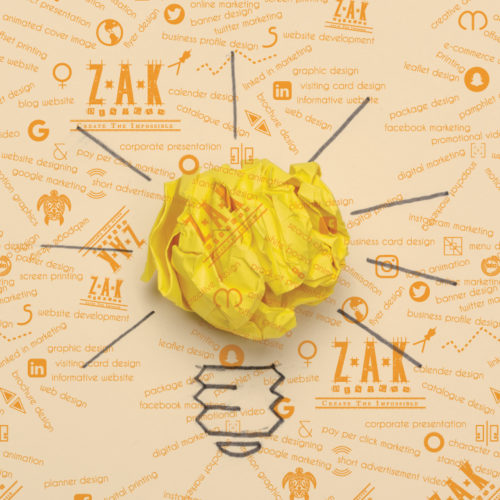
After filling the pages go through it again and again, circle the word or sketch you think you can develop a concept with and then work on it. You need to provide options to the client and so work on at least 5 designs and send the best three of the lot.
DESIGNING

Start designing the logo in black and white and we can put colors later in the process. Before adding any color one must remember that each color has a meaning so add color logically, it must have a reason or concept. Now one may think how many colors in logo design and the answer to it is the minimum the better. Play with two or three colors and may be with it shades and remember the color chosen for the logo stays the same everywhere, for all the branding initiatives no matter what. Choose the colors wisely. Logo design and branding goes in hand in hand.
MOCKUP

Once the logo is ready we need to show the logo design mock up to the client. A logo design mock up is a 3d version of the logo which shows how the logo looks in reality. You can search on YouTube, how logo design 3d mock up and you will find lot of videos on it or you can find ready made logo mock up if searched on google.
Logo designing tips:
1. FONTS: Lot of logo designing fonts can be downloaded from various sites like https://www.dafont.com/, https://www.fontsquirrel.com/. To be safe make sure that you use free fonts or pay for the fonts which is not free.
2. ORIGINALITY: Out of all the logo designing rules one of the most important rule is Originality. Copying a concept or a logo will ruin the reputation of any designer.
“Practice safe design, Use a concept.” –Petrula Vrontikis
3.LOVE FOR CREATIVITY: If the question “Is logo design easy or hard” comes to anyone’s mind then believe me they shouldn’t go for it, they will never succeed. However if one have a thing for creativity this is it for that person. See logo designing for beginners is definitely going to be difficult but it’s not easy even for the most experienced designers, what keeps us going is the LOVE for creativity and logo designing.
4. SOFTWARES: Now time for logo designing software, we can do logo designing in Photoshop, logo designing in Illustrator or logo designing in CorelDraw. However the process of logo designing using illustrator or logo designing using CorelDraw is going to be comparatively better than logo designing using Photoshop.
5. QUESTIONNAIRE: Prepare a logo design questionnaire for clients, this will help you take all the necessary information and an idea of what you should design which fulfills the need of the company. This will help in the process of making a company logo design.
6. CONTESTS: In the beginning participate in logo designing competition or logo designing contest on websites like https://www.designhill.com/, https://www.freelancer.com/. See to get logo designing freelance work a designer needs to have a portfolio ( A portfolio is to showcase all the previous designs made by a designer, so only add the best of your work ), when you participate in contests even if you lose you can add those logos in your portfolio. There a lot of things you need to keep in mind before participating in any contest or one might get banned from these sites for life. Will be putting a video explaining everything in details, till then please be patient.
7. PORTFOLIO: To succeed in this field you need to have a portfolio and for that you can also make a logo design for free or make few logo designs for free. Obviously not for everyone but for your friends on the condition that they will upload it on social media sites putting your name as the designer behind it. This will definitely work because hey who says no to a free thing (P.S. They don’t have to tell the free thing on those sites) and this way people will come to know about you.
8. CHARGES: The most important point Logo Designing Charges or Logo Designing Rates. No one has the perfect answer for this but still there are few things you should consider before quoting a price. When starting with logo designing keep the price as minimum as possible, must have heard that quote “run after work and money will eventually follow you”. So the goal is to make a name and then you will make money.
9.These were logo designing basics and will shortly put a lot of videos on how to design a logo in illustrator.
These were some tips for logo designing or you can say logo designing guidelines in this Ultimate Guide on Graphic Designing. For more knowledge watch logo design video tutorial on YouTube or read books on logo designing.
Here are some of the logo designing books:
1 – Logo Design Love: A Guide to Creating Iconic Brand Identities.
2 – Logotype.
3 – Bruno Munari: Circle, Square, Triangle.
4 – Logo: The Reference Guide to Symbols and Logotypes.
5 – Logo Modernism.
After going through this Ultimate Guide on Graphic Designing you can start a logo designing business or join a logo designing company in Kolkata or logo designing agency in anywhere in the world, however if you own a business and you need any help with logo design from anywhere in the world feel free to contact us at [email protected] or visit our website at www.zakdesigns.co .
Brochure Designing
What is brochure designing? Designing a brochure is the process of creatively arranging information of a company, product or service graphically with the help of texts, shapes, colors, background and images. Usually designing of brochure is done to be printed on papers but can also be used in e format. It is generally folded in two halves but can also be a set of unfolded papers put into a base folder.
A Brochure helps in the advertising and marketing of a company, product or service. It contains all the necessary information need to be provided for knowledge.
Here are some brochure examples


Brochure creation
process
Now in this part of Ultimate Guide on Graphic Designing we will discuss about brochure designing service by listing the steps for brochure designing.
Steps in designing brochure:
CONTENT

First thing is to get ready with all the content required to be put in the brochure. Raw file of the logo, Information of the company, the product or services they deal in, client base if any and contact information.
SORTING and LAYOUT

Once all the information is ready we need to sort which information has to be put where and make creative brochure layouts.
COVER

The logo with one product image can be creatively arranged on the cover. As soon as someone takes a glance on the cover the person should get what the company deals in and that will serve the purpose of that image.
ABOUT US

After opening the brochure the left page should have information about the company, why one should choose this firm over others and stuffs like that.
PRODUCT OR
SERVICE

Then will start with the products or service information from the right page. All the major information required must be placed in that section.
CLIENT PAGE

After the product section a dedicated page for clients can be arranged, it will leave a very good impression on the reader.

CONTACT
INFORMATION
Finally put all the contact information on the back page like address, website, contact number and email id.
MOCKUP
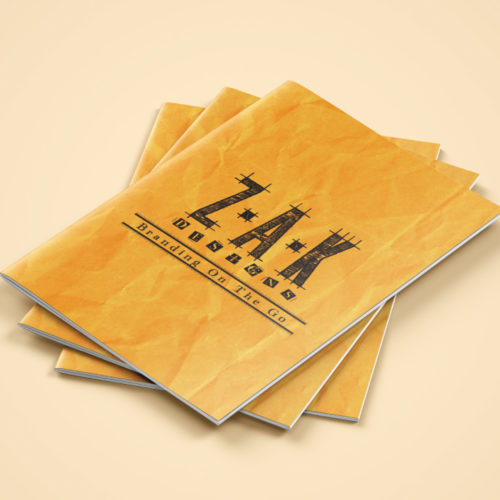
When everything is ready put the design on a creative brochure mock up or get a print out and send it to the client. This will look very professional and create a good impression on the client.
Tips for brochure
designing
BROCHURE BRIEF: Before starting designing make sure you are ready with brochure creative brief. There are many brochure designing companies which don’t give attention to this but this is the most important step. Consider this one of the designing brochure principles.
RESEARCH: See some brochure designing template and creative brochure design. Focus on the placement of typography, images and shapes of brochure creative brief template. This will give you an idea for brochure designing (P.S. Taking an idea is ok but do not copy the exact thing).
BACKGROUND: Use brochure creative background, the internet is filled with it. Backgrounds enhances the look and feel of the brochure.
SOFTWARE: For brochure designing software, you can do brochure designing in Photoshop or designing a brochure in illustrator or brochure designing in CorelDraw. Whatever one is comfortable with.
COSTING: How much does brochure design cost? No perfect answer for this, it depends on a lot of factors. Number of pages, complexity of design, number of options etc
BROCHURE DESIGNING: Brochures can be designed for any company or business, like designing travel brochure, brochure for fashion designing, brochure designs luxury, hotel brochure designing, interior designing brochure, designing event brochure.
TUTORIAL: Watch some brochure designing tutorial on web, search designing a brochure in Photoshop and you will get many options to choose from.
RECOMMENDATION: For brochure design vector use Adobe illustrator or CorelDraw as these are vector based software.
IDEA: Get some idea on brochure designing and printing as well as at the end it will be printed.
Here in this part of Ultimate Guide on Graphic Designing we discussed about brochure creation services, steps for brochure designing and brochure designing tips. These were some brochure designing basics guide but to excel in it practice is a must. No brochure designing agency will hire a newbie and thus experience is essential.
Search for brochure making ideas such as brochure ideas for travel, brochure design ideas with images, brochure ideas Pinterest, brochure ideas background, brochure design ideas online, brochure new ideas, brochure ideas beauty, brochure good ideas, brochure design ideas vector free download, brochure designing wallpaper and brochure designs landscape. Save all the images you like and go through the design again and again. Practice making the same designs and you will learn a lot of things. When designing a brochure for a client use only original ideas and do not copy other designs.
Watch tutorials like brochure designing using Photoshop, brochure designing in illustrator, guide to designing brochure, brochure designing tips techniques. This must seem like a lot but believe me it will boost your skills.
If you own a business and looking for a brochure and other necessary things for branding then please contact us at [email protected] or visit our website at www.zakdesigns.co
Graphic Designing
Software
What is graphic designing software or what is graphic design software used for?
Remember when in the beginning we discussed what graphic designing is “In our everyday life we come across a lot of things which is made with the help of Graphic Designing. For example while walking on a road we see a huge hoarding beautifully designed for the advertisement of a product or service, buying something wrapped in an attractive package with details of the product or see a poster of an upcoming movie. Sitting at home reading a magazine or a menu card in a restaurant. All this and much more is made with the help of Graphic Designing. By definition Graphic Designing is the process of creatively arranging photos, symbols, patterns, illustrations, shapes to convey a message to the audience or its reader.”
In very simple words graphic designing software helps in making all the above mentioned things and more. Before going further in this Ultimate Guide on Graphic Designing and knowing the names of graphic design software it is very important to understand the types of graphic design software.
Types of graphic
design software:
Graphic design software vector: A vector software is made with the concept of mathematical statements that place lines and shapes in a given two dimensional or three dimensional space. In simple words a shape, symbol or an art made in a vector based software doesn’t lose its quality if the size is increased. Anything made in a vector software can be increased in size to any dimension without getting pixelated.
Graphic design software raster or pixel: A raster or pixel based software is made with the concept of editing created or captured images. A raster is a grid of x and y coordinates on a screen. These images will get pixelated on the increase of their dimension (length and breadth).
It is also very important to understand that this vector feature doesn’t make the software better or superior to other softwares. Both serves different purpose and both are equally important in this field. It all depends on the requirement of the design, sometimes vector software is preferred for certain types of designs and sometimes raster based software. One should be well versed with both the types.
List of graphic
designing software
- Adobe Illustrator
- Adobe Photoshop
- CorelDraw
- Canva
- GIMP
- Pixlr
- Inkscape
- Autodesk SketchBook
These are some of the graphic designing software used but in this Ultimate Guide on Graphic Designing we will discuss about three software’s which is used on a professional level.
- Adobe Illustrator
- Adobe Photoshop
- CorelDraw
Let’s start with graphic design software Illustrator, a vector based software. Adobe Illustrator is one of the most powerful software used in the field of designing. It is used internationally and is preferred by the top designers. This software can be used for logo designing, flyer designing, brochure designing and the list will never end. It’s a “must to learn” software.
Graphic design software Photoshop, a raster or pixel based software. Adobe Photoshop is known as the King of all softwares and can help to do incredible things. From editing images in unimaginable ways to creating layouts and making designs, Photoshop can do all. Learning this software is necessary.
Last but not the least graphic design software CorelDraw, also a vector based software. It serves the same purpose as Adobe Illustrator, someway better and someway not. It’s important to learn this software because some printing firms prefer this software over Illustrator and in order to get a design printed they will need the CDR (CorelDraw) file.
Among all graphic design software name these are at the top. Now the answer to what is best graphic design software doesn’t exist. You need to learn all three of them and use anyone as per the need and requirement. Don’t focus too much on graphic design software names or graphic designing software list, start with anyone and gradually learn all three or even more if required.
Some often
asked questions:
1. What graphic design software is best?
None, start with any one of the above mentioned and then gradually learn more.
2. Graphic design software on mac?
The same, the softwares can be operated on windows as well as mac.
3. Graphic design software pc?
A pc with high configuration will be needed for these softwares to work efficiently.
4. What’s the best graphic design software for beginners?
The same as the professionals use, Adobe Illustrator, Adobe Photoshop and Corel Draw.
5. Best graphic design software 2019 or top graphic design software 2019?
Again the same answer Adobe Illustrator, Adobe Photoshop and Corel Draw.
6. Is certification in graphic design software necessary?
Necessary if you want a job in firm but not necessary if you want to start a business or work as a freelancer. Many successful designers are self-taught and never worked for a company.
7. Graphic design software requirements?
A pc with:
- 22 inch screen for proper display
- minimum of 1tb hard disk
- 16 gb ram
- 64 bit intel i5 processor
- 2gb nvidia graphic card
8. How to use graphic design software or how to learn graphic design software?
We are very soon coming with a set of graphic design software tutorials and not only that we will also be teaching all the principles of designing and will also give assignments for practice.
Graphic design software trial versions can be downloaded from their respective websites.
If you need any kind of graphic design software help please let me know in the comment box.
Graphic Designing
Principles
Graphic design principles definition: Graphic design principles is a set of rules and guides which not only helps in designing but also helps to improve the result or impact of the design. These rules and guides are the mantra of designing, so understanding them is a necessity.
Learning graphic design software is very important but something equally important is knowing and understanding graphic designing principles. Both of these goes hand in hand and is incomplete without each other. Understanding graphic design principles and theory will take the skills to another level. As we now are aware of the importance of the principles of graphic designing, in this part of Ultimate Guide on Graphic Designing we will discuss the detail.
Graphic design principle of Contrast: Contrast is a principal based on “opposites”. Combination of Dark and light color. If the background is a dark color then the shapes or letters will be light color. This is also called color graphic design principle. It is just confined to colors but also thick and thin objects or big or small objects. Anything which is opposite of the other.
Graphic design principle of Repetition: The principle of repetition is simple, it is very much understood even from the word. Repeating certain elements in a design, not necessarily in the same way.
Graphic design principle of Alignment: The alignment principle states that the objects, letters or shapes must be aligned to each other or to an imaginary line. There are three types of alignment left, centered and right alignment.
Graphic design principle of Proximity: Proximity is a principle which means that information related to each other are placed together. It is very important to understand this principle as information is what we provide from a design and it must be conveyed correctly.
Graphic design principle of Balance: Balance is so important not only in designs but in reality for existence. However in designing a balance must be maintained among pages. One page can’t be filled to its end and the other page is kept blank.
Graphic design principle of Space: Space is so important for a good design but is usually ignored. White space is like air, it is necessary for designs to breathe. So the point is don’t overfill a design, give it its space.
With the knowledge of softwares and the principles of designing one cannot become a master designer. Practice is what makes us better each day. No designer was born great, with practice comes excellence. It is very important to practice and do not judge those designs but learn from it. In order to make good designs a designer must first make bad designs and that is the ultimate and only process of becoming better.
Graphic designing
books
It is said books are the man’s best friend (P.S. May be after a dog), it inspires and helps us to learn and grow. So it’s important for us to read these books for better understanding of designs.
- Making and breaking the grid.
- The Elements of Graphic Design.
- DesigningBrand Identity.
- Paul Rand: a designer’s
- Type: A Visual History of Typefaces and Graphic
- Thinking with type.
- Stationery design
- Package Design Workbook: The Art and Science of Successful Packaging.
Career in graphic
designing
After all the above discussions in this Ultimate Guide on Graphic Designing let’s come to the main point, a career in graphic design. Today the entire world is digital and in this digital era content is the king. This content is created in many ways one of which is graphic designing. By this point only you can understand what scope it has. There are number of jobs as a graphic designer and opportunities to work as a freelancer or start a business.
Even with such a scope the competition is high and probably graphic designing is one of the most competitive field in today’s world. Everyday someone is becoming a graphic designer or opening a graphic designing firm but also each day a graphic designer quits, because of the lack of patience and love for designing. In the very beginning it was mentioned that don’t become a designer because it’s a fancy thing or there is huge money in it, do it only if you love it. Believe me only this LOVE for creativity and designing will keep you going through the tough and bad days and eventually you will succeed.
Don’t learn the softwares or understand the principle of designing to get a good job or start a business. Learn it to get good at it to become the best at it and then you don’t have to find a job or opportunity, jobs and opportunities will find you. The only thing which will make you good at it is practice, do that with the urge of achieving perfection which you will not achieve but in the process you will definitely achieve excellence and that will take you to the sky.
Do not worry of failing because one will and everyone does in the process, failing is not the opposite of success but the process in achieving success. You will make bad designs but one has to make bad designs in order to make good designs.
Practice each and every day with love, fail each and every day and get up again and practice again with love, because “ to be successful one must improve, to improve one must practice, to practice one must learn and to learn one must fail”.
If you have any problem understanding anything or have any advice on improving this blog “Ultimate Guide on Graphic Designing” then please comment below.
We at Z.A.K Designs provide complete branding solution, for more information please visit our website at www.zakdesigns.co or contact us at [email protected]
You can also check our portfolio by clicking here
Brand Logo
Stand Out from the Crowd: The Importance of a Unique Logo Design In today’s competitive business landscape, standing out from the crowd is essential for
Brand Niche
The Power of Finding Your Brand Niche: How Focusing on a Specific Market Can Boost Your Success What is Brand Niche? Have you ever heard
Case Study on the Logo designed for SPBS
Any designer will understand that becoming a graphic designer is one struggle and building a career in it is another. I am here sharing my own story in the form of a Case Study on the logo designed for SPBS
More than just a name – Identity Designing
You are more than just a name with a personality, values and traits; combining that builds your Identity. In the same way a brand too needs an identity which can be designed. In this blog we are going to discuss it.
like our blog?
please share it too!